


Table of Contents
- Why Securing Client Data Matters for Remote Plumbing Operations
- Step 1: Establish Strong Passwords and Use a Password Manager
- Step 2: Implement Multi-Factor Authentication Across All Systems
- Step 3: Set Up Secure Remote Access to Business Systems
- Step 4: Deploy Endpoint Protection and Device Encryption
- Remote Employee Data Security Best Practices for Field Staff
- Create a Customer Data Protection Policy for Small Businesses
- Develop a Customer Data Breach Response Plan
- Frequently Asked Questions
Last Updated: October 6, 2026
Why Securing Client Data Matters for Remote Plumbing Operations
Remote plumbing staff handle sensitive customer information every day. Names, addresses, phone numbers, payment details, and service history all flow through mobile devices and home networks. A single breach exposes your business to liability, damages customer trust, and can shut down operations fast.
The challenge is real: field staff work from trucks, job sites, and home offices. They’re not in a controlled environment like a traditional office. That’s where securing client data for remote plumbing staff becomes critical.
Remote teams need access to customer records and payment systems, but those systems must stay protected. Without proper safeguards, one compromised device or weak password can expose hundreds of client records.
This guide walks you through practical steps to secure client data for remote plumbing staff. We’ll cover passwords, multi-factor authentication, secure remote access, device protection, and policies that actually work for small teams. Each step is designed to be implemented without slowing down your field operations.
Step 1: Establish Strong Passwords and Use a Password Manager
Strong passwords are your first line of defense. A weak password is like leaving your front door unlocked.
Start here: every password should be at least 12 characters long. Mix uppercase letters, lowercase letters, numbers, and symbols. Avoid common words, birthdays, or sequential numbers. A strong password looks like “Plumb!ng2024$ecure”, not “password123.”
But remembering 12-character passwords for every system is impossible. That’s where a password manager comes in.
A password manager stores all your passwords in an encrypted vault. Your team accesses passwords with a single master password. This approach eliminates password reuse, a major vulnerability. When one system is breached, attackers can’t use that password elsewhere.
For remote plumbing staff, password managers solve a practical problem: field workers need access to dispatch systems, customer databases, and payment platforms.
Key steps for password management:
- Choose a password manager with strong encryption
- Create one strong master password for each team member
- Store the master password securely (not on a shared document)
- Require password changes every 90 days
- Disable password sharing between team members
Password managers also track which passwords are weak or reused. This visibility helps you enforce stronger security across your entire team.
Step 2: Implement Multi-Factor Authentication Across All Systems
Multi-factor authentication (MFA) adds a second verification step beyond passwords. Even if someone steals a password, they can’t access the account without the second factor.
MFA typically works like this: your staff member logs in with a password. The system then asks for a second verification. This could be a code from their phone, a fingerprint scan, or a security key.
The most common approach is time-based codes. An authenticator app generates a new six-digit code every 30 seconds. The staff member enters this code after their password. This takes about 10 seconds per login but prevents unauthorized access.
For remote plumbing operations, MFA protects your most critical systems: customer databases, payment processing, dispatch software, and accounting systems. A field technician’s phone getting lost is less catastrophic if their accounts require a second factor.
Implement MFA in this order:
- Enable MFA on email accounts first (email is the master key to all other accounts)
- Add MFA to customer management and dispatch systems
- Protect payment processing and accounting software
- Secure cloud storage where customer files are stored
- Require MFA for remote access to company servers
Start with your administrative accounts and expand to all staff. Some systems allow you to enforce MFA company-wide, while others require individual setup.
Step 3: Set Up Secure Remote Access to Business Systems
Remote plumbing staff need to access company systems from job sites and home offices. This access must be secure, not just convenient.
A virtual private network (VPN) encrypts all data traveling between a staff member’s device and your company servers. Think of it as a secure tunnel. Even if someone intercepts the connection, they see only encrypted gibberish.
For securing client data for remote plumbing staff, a VPN prevents customer information from being exposed on public Wi-Fi networks. A technician pulling up a customer record at a job site won’t transmit that data in plain text across an unsecured network.
Beyond VPNs, consider these access controls:
Secure access practices:
- Require VPN use for all remote access to company systems
- Limit access based on job role (dispatchers see dispatch data, not accounting records)
- Use unique login credentials for each staff member (never share accounts)
- Log all access attempts and review them weekly
- Disable access immediately when someone leaves the company
Many home service businesses use remote desktop software to let staff access company computers from home. If you use this approach, always require VPN + MFA before allowing remote desktop connections. A remote desktop without these protections is a direct gateway for attackers.
Cloud-based systems like dispatch software and customer management tools should enforce login restrictions. Require MFA, limit login locations, and set automatic logouts after 15 minutes of inactivity.
Step 4: Deploy Endpoint Protection and Device Encryption
Endpoint protection is security software that runs on computers, phones, and tablets. It detects and blocks malware, ransomware, and other threats.
For remote plumbing staff using personal or company devices, endpoint protection is non-negotiable. A technician’s phone could be infected with malware that steals customer data without their knowledge.
Device encryption ensures that if a phone or laptop is lost or stolen, the data on it remains unreadable. Without encryption, a thief could physically access the device and extract customer information, payment details, and business data.
Deploy these protections:
- Install antivirus and anti-malware software on all devices
- Enable automatic security updates (they patch vulnerabilities quickly)
- Encrypt hard drives on all company laptops
- Encrypt phones and tablets (most modern devices support this)
- Set devices to lock after 5 minutes of inactivity
- Require strong passwords or biometric login (fingerprint, face recognition)
For bring-your-own-device (BYOD) policies, where staff use personal phones or laptops, require the same protections. A staff member’s personal device accessing your customer database must meet the same security standards as company-issued hardware.
Mobile device management (MDM) software lets you enforce these protections remotely. You can require encryption, force password policies, and even wipe a device remotely if it’s lost or stolen.
Remote Employee Data Security Best Practices for Field Staff
Field staff face unique challenges. They work in trucks, at job sites, and from home offices. Customer data travels with them constantly.
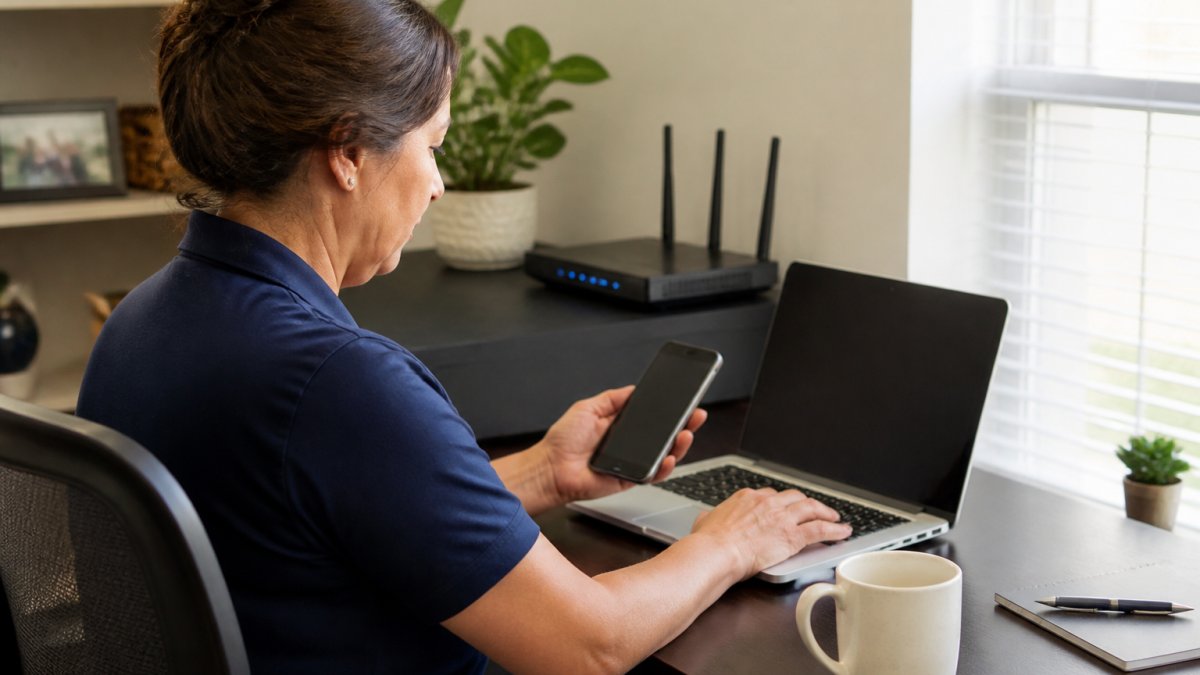
Start with designated workspaces. A field dispatcher working from home should have a dedicated desk, not work from a coffee shop or public area.
Wi-Fi security is critical. Home networks often use default passwords and outdated security standards. Require staff to change their router’s default password, enable WPA3 encryption (the strongest standard), and hide the network name.
For staff working from job sites, avoid public Wi-Fi entirely. If they need to access systems on-site, use a mobile hotspot from their phone with a strong password.
Regular security awareness training prevents most breaches. Teach staff to recognize phishing emails (fake messages that trick them into revealing passwords). Show them how to spot suspicious links and attachments.
Field staff security practices:
- Never access customer data on public Wi-Fi
- Lock devices when stepping away, even for a moment
- Don’t discuss customer information in public areas
- Report suspicious emails or messages immediately
- Use only approved apps and software on work devices
- Avoid storing customer data in personal email or cloud accounts
Create a culture where security is everyone’s responsibility. When staff understand why these practices matter, protecting customers and the business, they’re more likely to follow them consistently.
Create a Customer Data Protection Policy for Small Businesses
A written policy makes security expectations clear. Without it, staff may not understand what’s required or why it matters.
Your policy should cover several areas. Start with data access: who can view customer information, and under what circumstances. A dispatcher needs customer phone numbers and addresses.
Address data retention: how long do you keep customer records, and how do you dispose of old data? Many businesses keep records longer than necessary.
Include device policies: what devices can access company systems? Are personal devices allowed? If so, what security protections are required?
Define remote work rules. Where can staff work? Can they work from coffee shops? Can they access customer data from public Wi-Fi?
Core policy elements:
- Data access rules by job role
- Password and MFA requirements
- Device security standards (encryption, antivirus, updates)
- Remote work location restrictions
- Incident reporting procedures
- Consequences for policy violations
- Annual review and staff sign-off
Keep the policy practical. Overly restrictive policies get ignored. A policy that requires staff to drive to the office to access a single document won’t be followed.
Make the policy easy to understand. Use plain language, not technical jargon. Include examples.
Have staff sign and date the policy. This creates accountability and shows they understood the requirements.
Develop a Customer Data Breach Response Plan
Despite your best efforts, breaches can happen. A response plan ensures you act quickly and correctly.
Start by identifying who handles a breach. Designate a breach response team: perhaps the owner, office manager, and IT support.
Define what counts as a breach. Is it a lost device? Unauthorized access? Suspicious activity? A clear definition prevents confusion during a crisis.
Next, establish notification procedures. Most states require you to notify customers if their personal information is compromised.
Document the steps for securing client data for remote plumbing staff after a breach is discovered:
- Isolate the affected device or system immediately
- Change all passwords for compromised accounts
- Enable additional monitoring on customer accounts
- Contact affected customers within the required timeframe
- Preserve evidence for investigation
- Update security practices to prevent recurrence
Create a breach notification template.
Breach response checklist:
- Designate a response team and assign responsibilities
- Document notification requirements for your state
- Create notification templates
- Establish a timeline for customer notification
- Plan how to preserve evidence
- Identify who communicates with customers
- Arrange for professional breach investigation if needed
- Schedule a post-breach review to prevent recurrence
Test your plan annually. A hypothetical breach scenario helps identify gaps before a real crisis occurs.
Keep your response plan accessible.
Securing client data for remote plumbing staff isn’t optional anymore. Customer information is valuable, and breaches damage your reputation and bottom line.
Hard Hat Helpers helps home service businesses manage remote teams securely. Our virtual staff are trained on data protection practices specific to plumbing and HVAC operations.
Frequently Asked Questions
How can plumbing businesses protect client data when staff work remotely?
Use a layered approach: require strong passwords with a password manager, enforce multi-factor authentication, deploy a VPN for encrypted connections, install endpoint protection software, and encrypt all devices. Establish a written data protection policy that defines who accesses what customer information, limit access by role (dispatchers see job details; estimators see pricing), and regularly audit access logs. Train staff on phishing and social engineering threats, and establish a clear incident response plan so everyone knows what to do if a breach occurs.
What should a plumbing company do if client information is exposed?
Act immediately: isolate affected systems, document what data was accessed and when, notify affected customers as required, and report to state authorities if required by your state’s data breach notification law. Preserve evidence for investigation, change all compromised passwords, review access logs to understand how the breach happened, and implement corrective controls to prevent recurrence. Offer free credit monitoring if payment card or Social Security numbers were exposed. Transparent communication with customers builds trust and reduces legal exposure.
Should remote staff use personal devices to access customer records?
Personal devices introduce significant risk. If you allow BYOD (bring-your-own-device), require mobile device management (MDM) software that enforces encryption, locks down app installations, and allows remote wiping if the device is lost or an employee leaves. Company-issued devices are safer because you control the hardware, operating system, and security updates. At minimum, prohibit personal devices from accessing unencrypted customer data, payment systems, or sensitive business information. Mobile field staff need company phones with VPN and endpoint protection to safely access job details and customer information on site.
What customer information should remote plumbing staff be allowed to access?
Apply the principle of least privilege: dispatchers need names, addresses, phone numbers, and service history to schedule jobs; estimators need the same plus pricing and service details to quote work; office managers may need billing and payment information. Field technicians should see only the jobs assigned to them and minimal customer contact details. Restrict access to payment card data, Social Security numbers, and financial records to authorized personnel only. Document who needs what, review permissions quarterly, and revoke access immediately when staff leave. This limits damage if credentials are compromised.