


Table of Contents
- Why Virtual Assistant Security Matters for Home Service Businesses
- Multi-Factor Authentication and Identity Management
- Best Tools for Remote Team Security
- Remote Team Cybersecurity Checklist for Implementation
- How to Secure Remote Access for Virtual Assistants
- Building an Incident Response Plan
- Security Compliance and Legal Requirements
- Frequently Asked Questions
Last Updated: September 21, 2026
Why Virtual Assistant Security Matters for Home Service Businesses
Virtual assistants handle your most sensitive data: client contact information, service pricing, dispatch schedules, payment details, and proprietary processes. A single compromised account doesn’t just expose your data, it exposes your clients’ data too. For home service businesses, that breach becomes a liability issue fast.
Remote workers access your systems from various locations on networks you don’t control. A phishing email, weak password, or unsecured Wi-Fi can give attackers direct access to your entire operation. Virtual assistant security is foundational to protecting your business.
Common security failures include dispatchers sharing client information through unsecured channels, estimators reusing passwords across systems, and office managers clicking fraudulent links. These risks are preventable with proper training and tools.
Virtual assistant security protects three things simultaneously: your client data, your business operations, and your liability exposure. Weak security in one remote worker can compromise your entire organization.
Multi-Factor Authentication and Identity Management
Multi-factor authentication (MFA) is the most effective defense against unauthorized access. With MFA, attackers need both a password and a second verification method (phone code or biometric scan), not just one credential.
MFA forces attackers to compromise two separate systems simultaneously. They might steal a password through phishing, but they can’t intercept the real-time code sent to your assistant’s phone.
For remote teams, adaptive MFA solutions like Rublon’s multi-factor authentication platform add an extra layer by detecting unusual login patterns. If your dispatcher normally logs in from the same location at 8 AM but suddenly tries to access the system from a different country at 3 AM, adaptive MFA flags it and requires additional verification. This catches account takeovers in real time.
Require MFA on every system your virtual assistant uses: email, CRM, project management, accounting software, and file storage. A stolen password becomes useless if MFA blocks the actual login.
Many teams skip MFA because they think it slows down workflows. In practice, after one week of use, your assistant won’t notice the extra step. The cost of a single breach, notification, credit monitoring, potential lawsuits, far exceeds the minor friction of MFA adoption.
Best Tools for Remote Team Security
The right tools make security automatic rather than manual. Your virtual assistant shouldn’t have to remember complex security rules, the tools should enforce them.
Password Managers: 1Password and LastPass
Password managers let you grant access to specific credentials without revealing the actual password. Your assistant can access client portals, scheduling systems, and accounting software without knowing the underlying passwords.
1Password’s shared vaults allow you to create encrypted credential storage that your assistant can access without seeing the underlying password. You can revoke access instantly if they leave, and the system logs every time someone accesses a credential. This audit trail is invaluable for compliance and incident investigation.
LastPass offers similar functionality at a lower price point with automated password changing. Update a password once in LastPass, and your entire team automatically gets the new credential.
Secure Communication and File Sharing
Email is not secure for sensitive information. For sharing client files, estimates, or internal documents, use tools designed for controlled access.
Slack’s enterprise security features provides encrypted messaging with granular channel permissions. You can create private channels for specific clients or projects, control who can access what information, and maintain audit logs of who viewed what and when. Unlike email, Slack messages don’t sit in individual inboxes where they can be accidentally forwarded.
For document collaboration, Google Drive’s advanced sharing controls let you set expiration dates on shared links and revoke access retroactively. You can share a file with your assistant for 30 days, and after that window closes, the link automatically stops working. This prevents accidental long-term exposure of sensitive documents.
Calendly solves a specific security problem: your virtual assistant needs to schedule appointments, but giving them access to your email password is a massive security risk. Calendly’s single sign-on integration lets them manage your calendar through a dedicated interface without ever accessing your email account. They can’t accidentally delete emails or forward sensitive messages, they can only schedule appointments.
Remote Team Cybersecurity Checklist for Implementation
These steps form the foundation of a secure remote operation. Implement them in order; each one builds on the previous layer.
Access Control and Least Privilege Principles
Least privilege means your virtual assistant gets access to exactly what they need for their role, nothing more. Your dispatcher needs the dispatch system and client contacts, but not accounting software or payroll records.
Start by mapping what each role actually needs:
- Dispatchers: scheduling system, client contact database, service history
- Estimators: pricing information, past project details, client communication
- Office managers: CRM, accounting software, document storage
Audit your current access and revoke everything that isn’t actively needed. Most businesses discover people have access to systems they haven’t used in years.
Use role-based access controls to limit what each person can see. Your assistant might have access to a project folder but not permission to delete files or invite other users.
Document your access control decisions. Write down why each person has access to each system. This documentation becomes critical during a security audit or incident investigation, you’ll know exactly what was exposed and to whom.
Data Encryption and Secure Wi-Fi Protocols
Enable full-disk encryption on your assistant’s laptop so that if the device is stolen, the data remains unreadable.
Require your assistant to use a VPN (Virtual Private Network) when working outside your office. A VPN encrypts all internet traffic, preventing interception of login credentials or sensitive documents.
Your assistant should never use public Wi-Fi without a VPN. If they must work from a public location, the VPN requirement is non-negotiable.
Use WPA3 encryption on your office Wi-Fi network (or WPA2 if WPA3 isn’t available) and change the default router password immediately.
Software Updates and Endpoint Security
Install software updates immediately. Attackers actively exploit known vulnerabilities in outdated software.
Set devices to install security updates automatically. The minor inconvenience of occasional restarts is worth the protection.
Endpoint security software (antivirus and anti-malware tools) provides a second layer of defense. These tools detect and remove malicious software before it can damage your systems. For remote workers, cloud-based endpoint security is ideal because it works regardless of location and doesn’t depend on your network infrastructure.
How to Secure Remote Access for Virtual Assistants
Remote access is the foundation of distributed work, but it’s also the most common attack vector. Attackers know that remote access points are often less protected than office networks.
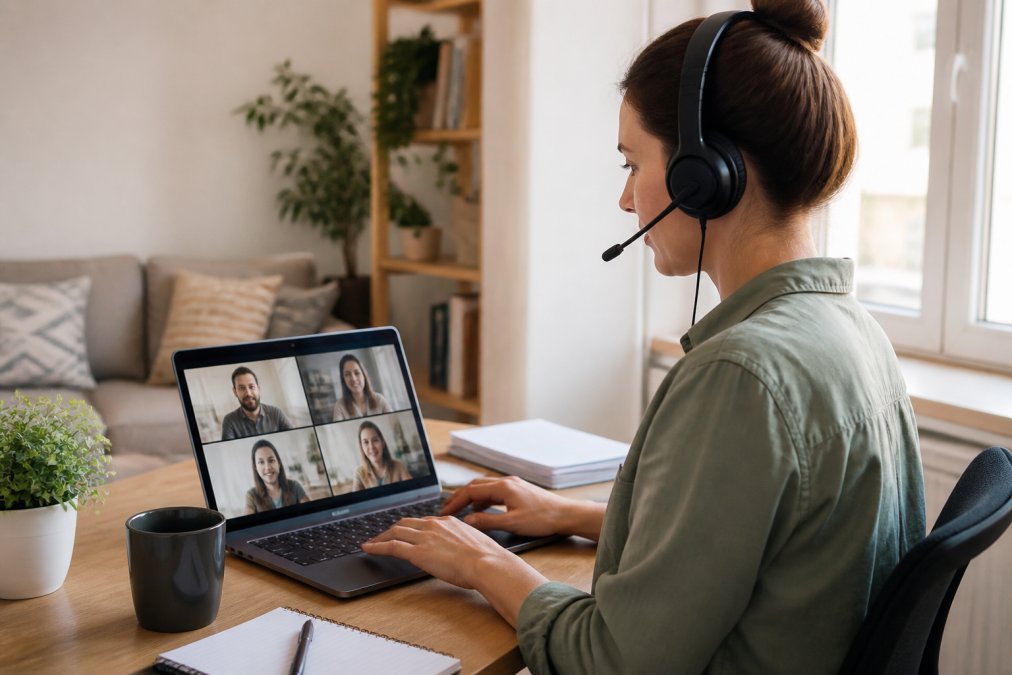
VPN Configuration and Network Security
A VPN creates an encrypted tunnel between your assistant’s device and your internal network, making all traffic invisible to anyone monitoring the public internet.
Configure your VPN to require MFA for login. A username and password alone aren’t enough, require the second verification step.
Phishing and Social Engineering Awareness
Phishing attacks are deceptively simple: an email that looks like it’s from a trusted source (your bank, a client, your email provider) asks you to click a link or download an attachment. The link leads to a fake website designed to steal credentials. The attachment contains malware.
- Urgent language (“Your account will be closed in 24 hours!”)
- Requests to verify credentials or payment information
- Suspicious sender addresses (slightly misspelled versions of real domains)
- Unexpected attachments or links
- Grammar and spelling errors (professional companies have copyeditors)
Building an Incident Response Plan
Despite best efforts, breaches happen. What matters is how quickly you respond. An incident response plan ensures your team knows exactly what to do when security is compromised.
Your plan should cover:
- Detection: How will you know a breach occurred? (unusual account activity, customer complaints, security alerts)
- Containment: What’s the first action? (reset compromised passwords, revoke access tokens, isolate affected systems)
- Investigation: What information do you need? (access logs, affected data, timeline of events)
- Notification: Who needs to know? (affected customers, law enforcement if required, your insurance company)
- Recovery: How do you restore normal operations? (restore from backups, rebuild systems, reissue credentials)
Security Compliance and Legal Requirements
Your business may be subject to specific security regulations depending on your industry and the data you handle. Understanding these requirements prevents costly violations and demonstrates due diligence if a breach occurs.
Frequently Asked Questions
What are the essential components of virtual assistant security?
Virtual assistant security rests on four pillars: strong authentication (MFA), secure credential management through password managers like 1Password, controlled access using least privilege principles, and encrypted communication channels. For home service businesses, this means your dispatchers and estimators can access client data and scheduling systems without exposing shared passwords. Regular security awareness training on phishing tactics and social engineering also protects against the most common entry points for data breaches.
How can I implement a remote team cybersecurity checklist without disrupting operations?
Start with high-impact, low-friction changes: enable MFA on all critical accounts, deploy a password manager for credential sharing, and configure a VPN for remote access. Then layer in endpoint security updates and secure Wi-Fi protocols. For home service teams, prioritize protecting CRM systems, dispatch software, and client contact information first. Roll out changes gradually across your virtual assistants, and provide clear training on each tool. Most teams adapt within one to two weeks when changes are introduced incrementally.
What makes a virtual staffing solution like Hard Hat Helpers different from generic remote hiring?
Specialized virtual staffing providers pre-train their professionals in security protocols specific to your industry. Unlike generic platforms, Hard Hat Helpers vets and trains dispatchers and estimators exclusively for home services, so they seamlessly integrate into your existing operations. They also manage onboarding, payroll, and continuous performance monitoring, which reduces your administrative burden and ensures consistent security practices across your remote team without you having to build training from scratch.
How do I balance security with the speed my remote team needs to operate?
Use tools that reduce friction without compromising security. Calendly eliminates the need to share email credentials for scheduling. Asana provides role-based task management so assistants see only what they need. Password managers like LastPass let your team access shared credentials instantly without exposing raw passwords. VPNs and MFA add seconds to login time but prevent unauthorized access entirely. The key is implementing controls that protect data without requiring manual approval steps for routine tasks.