




Last Updated: October 30, 2026
Quick Summary
The challenges of managing remote field service teams come down to gaps in process, not talent. Communication breaks at the dispatcher-to-tech, tech-to-customer, and field-to-office handoffs, and scheduling collapses when the day is not built around skill, geography, urgency, and appointment windows. Start by fixing communication standards, then scheduling, then software.
- Write down what done sounds like and enforce arrival and departure texts on every job.
- Rank every open work order on skill match, geography, urgency, and appointment window before assigning.
- Leave one open slot per tech per day for same-day emergencies, two during peak season.
- Dispatch the right tech, not the nearest tech, to avoid a costly return trip.
- Measure first-time fix rate, on-time arrival, and callback rate instead of GPS tracking every movement.
Table of Contents
- Why Remote Field Service Teams Are Harder to Manage Than Office Staff
- Field Service Team Communication: Closing the Gaps That Cause Callbacks
- Field Service Scheduling Best Practices That Protect the Day
- Building a Field Service Dispatch Process That Holds Up Under Pressure
- Field Service Management Software: What to Use and What to Ignore
- Accountability Without Micromanaging: Measuring What Matters
- Keeping Technicians Safe, Sane, and Not Constantly On Call
- Which Remote Management Gaps Should You Fill First?
- Frequently Asked Questions
Why Remote Field Service Teams Are Harder to Manage Than Office Staff
Remote field service is the practice of running a distributed crew of technicians who work at customer sites rather than in a single building, coordinated through scheduling, dispatch, and communication tools.
Three things make it harder:
- No hallway conversations. A quick question becomes a phone call, a text, or nothing at all.
- The clock runs the day. One late arrival cascades into three.
- You cannot see effort. You only see outcomes, and outcomes lag.
The challenges of managing remote field service teams come down to gaps in process, not talent. Here is each one and what to do about it.
Field Service Team Communication: Closing the Gaps That Cause Callbacks
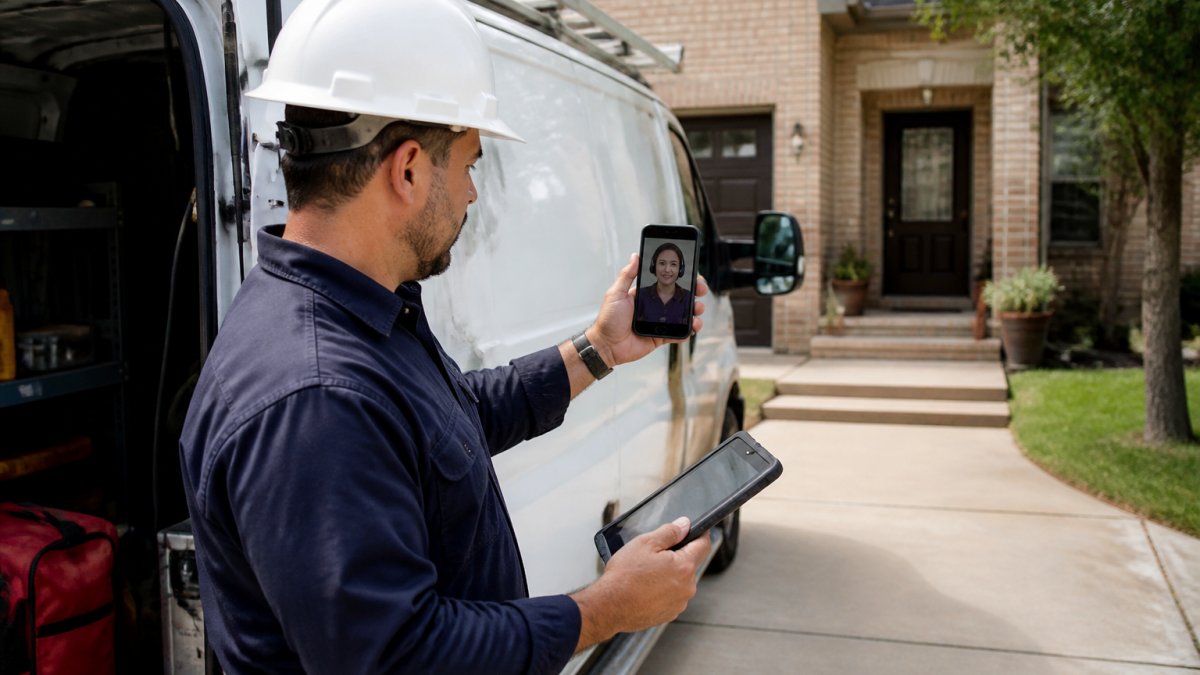
Field service team communication fails in predictable places: between the dispatcher and the tech, between the tech and the customer, and between the field and the office. Callbacks often trace back to one of those three handoffs, not the repair itself.
Building Communication Standards That Stick
Write down what “done” sounds like. A common mistake is assuming everyone knows what to report and when. They do not.
Set three rules and enforce them:
- Arrival and departure texts. Every job, every time.
- One channel for job updates. Not a group chat plus email plus voicemail.
- A callback trigger. Any change in scope gets a call before work continues.
Keeping Isolated Technicians Connected and Engaged
Employee isolation is the quiet problem. A tech who spends ten hours alone in a truck starts to feel like a contractor, not a team member.
Try a short daily huddle, five minutes, same time. Add a weekly shout-out for good customer feedback. These cost little and hold teams together.
Field Service Scheduling Best Practices That Protect the Day
Field service scheduling best practices start with one rule: protect the first call. For a deeper walkthrough, see our guide on how to improve field service scheduling.
But “start on time” is the easy part. The hard part is building a day that survives a 10 a.m. emergency without collapsing the afternoon, scheduling against skill, geography, urgency, and the customer’s appointment window at once.
The Four-Constraint Sort
Before you assign a single job, rank every open work order on four axes:
- Skill match. Does the technician hold the certification, parts, and tooling the job actually requires? A licensed electrician sent to a plumbing call is a wasted truck roll.
- Geography. Cluster by zip code or service zone, not by who called first. Two jobs three miles apart are cheaper together than two jobs ten miles apart, even if the farther one is more urgent.
- Urgency. Separate emergency, same-day, and scheduled work. Emergencies jump the queue; scheduled work fills the gaps.
- Appointment window. A customer who booked 8-10 a.m. is a harder constraint than a customer who said “anytime Tuesday.” Honor the tight windows first.
Build the day in this order:
- Lock urgent and warranty jobs first.
- Group by area, not by who called first.
- Leave one open slot per tech for same-day emergencies.
- Confirm the appointment the night before.
Balancing Skills, Geography, and Windows Without a Spreadsheet
Many small and mid-size shops do not have a dedicated scheduler, so the dispatcher often does this in their head while the phone rings. A repeatable method beats intuition:
- Sort by window, then by zone. Pull every job with a hard appointment window into a morning list. Sort that list by service zone. Assign the earliest window in each zone to the nearest qualified tech.
- Protect the anchor job. Every route needs one anchor, usually the first call or the longest job, and everything else bends around it. If the anchor slips, the whole day slips.
- Cap the drive between stops. Set a maximum drive time between consecutive jobs (many shops use 20-30 minutes in dense metros, longer in rural service areas) and refuse assignments that break it unless the job is an emergency.
When two jobs compete for the same tech, ask which one is harder to reschedule. The customer with a narrow window and a repeat history usually wins over the customer who said “whenever.”
Route Planning and Time Zone Realities
Route planning is not just about miles. It is about drive time between stops, parking, and building access. Cluster jobs by zip code and check travel costs before promising a window.
Build routes around three practical rules:
- Sequence by time, not distance. The nearest next stop is not always the fastest next stop if it sits behind a school zone at 3 p.m.
- Front-load the hard jobs. Diagnostics and repairs that might run long go early, when there is slack in the day. Quick maintenance calls fill the back half.
- Leave a buffer before the last call. The final job of the day is where overtime starts. A 30-minute buffer before the last window protects the tech’s evening and your labor budget.
If you dispatch across time zones, state every appointment in the customer’s local time, never your office’s. Put the time zone in the work order itself, not just in the confirmation text, so the technician reading it at 6 a.m. does not have to do the math.
When the Day Breaks: Re-Sequencing Under Pressure
Even a well-built schedule breaks. A job runs long, a part is missing, a customer is not home. The question is not whether you re-sequence, it is how fast and how cleanly.
- Re-sequence from the anchor, not from the break. When a job slips, rebuild the rest of the day around the next hard window instead of patching the broken stop.
- Call the customer before the tech does. The dispatcher owns the delay message. A technician apologizing at the door is a worse experience than a dispatcher calling ahead.
- Log the reason. Every re-sequence has a cause, parts, traffic, access, scope creep. Track those causes weekly. The pattern tells you which constraint to fix first.
Scheduling is often where the challenges of managing remote field service teams show up first, because communication, trust, and process all meet there. Get the four-constraint sort right and the rest of the day gets easier.
Building a Field Service Dispatch Process That Holds Up Under Pressure
A field service dispatch process is the set of rules that decides who goes where, when, and with what information. Standardizing these protocols ensures that technicians arrive prepared with the necessary parts and tools, which is essential for maintaining fleet uptime as operational demands scale.
Triage is the core. Rank every incoming call into three buckets: emergency, same-day, and scheduled. Then route by skill and location. For a proven playbook, read our emergency dispatch best practices.
Watch out: dispatching the nearest tech instead of the right tech is the most common mistake. It saves ten minutes and costs a return trip.
Field Service Management Software: What to Use and What to Ignore
Field service management software earns its place when it removes a phone call, not when it adds a dashboard nobody opens. Choose tools that solve dispatch, scheduling, and customer communication first.
Ignore anything that promises to replace your process. Software exposes a bad process; it does not fix one. If you want a feature checklist before you shop, review the top features of modern dispatching software.
Offline Access and Unreliable Connectivity
Offline access is not optional for field technicians. Basements, crawl spaces, and rural routes kill signal. Pick software that lets techs view the job, capture photos, and close out work with no bars, then sync later.
Accountability Without Micromanaging: Measuring What Matters
Accountability works when you measure outcomes the technician controls. First-time fix rate, on-time arrival, and callback rate are fair. GPS tracking every movement is not.
Field service needs a sharper translation: hours logged tells you little about service quality, and a dashboard full of activity data can train managers to watch people instead of results.
The Field-Service KPI Set
Use a small set of measures that map to what the customer experiences and what the technician can influence:
| Metric | What It Tells You | Review Rhythm |
|---|---|---|
| First-time fix rate | Skill and diagnosis quality | Weekly |
| On-time arrival | Scheduling and route health | Daily |
| Callback rate | Work quality and communication | Weekly |
| Average job duration | Realistic time estimates | Monthly |
| Response time (call to dispatch) | Triage speed and coverage | Daily |
| Travel time per job | Route and zone health | Weekly |
| Technician utilization | Capacity and booking balance | Weekly |
| Customer satisfaction (post-job survey) | End-to-end service quality | Monthly |
Each metric has a fair use and an unfair use. First-time fix rate is fair when the technician has the parts and information to fix it right; it is unfair when dispatch sends them out under-equipped. On-time arrival is fair when the schedule is realistic; it is unfair when the day was overbooked before the tech left the shop.
Measuring Without Surveilling
The line between accountability and surveillance is whether the technician can see and contest the data. A few rules keep measurement fair:
- Publish the scorecard. Every technician should know exactly which metrics are tracked, how they are calculated, and how often they are reviewed. Surprise metrics are surveillance.
- Measure the job, not the person. Travel time per job is a routing signal. GPS pings every five minutes are a leash. Use the former, skip the latter.
- Pair every metric with a fix. If on-time arrival is slipping, the conversation is about scheduling and zones, not about effort. A metric without a corresponding process fix is just pressure.
A common mistake is measuring activity instead of results. Hours logged, miles driven, and app taps are easy to collect and almost useless for judging service quality. If a metric cannot be tied to a customer outcome or a process decision, do not put it on the scorecard.
Fair Measurement Across Uneven Routes
Two technicians with identical skill can post very different numbers because one runs a dense urban route and the other covers a rural territory. Before you compare, normalize:
- Segment by zone. Compare urban techs to urban techs and rural to rural, or adjust travel-time expectations by zone.
- Weight by job mix. A tech who takes the hard diagnostics will have a lower first-time fix rate than one who runs maintenance calls. Look at the mix before drawing conclusions.
- Use trends, not snapshots. A single bad week is noise. A three-week drift is a signal worth a conversation.
The Monthly Review That Actually Changes Behavior
Once a month, sit down with each technician and walk through four questions: What went well? Where did the day break? What did the schedule get wrong? What do you need from dispatch? The scorecard is the input, not the verdict.
That is the difference between accountability and micromanagement. Micromanagement watches the technician. Accountability watches the system and gives the technician a voice in fixing it.
Keeping Technicians Safe, Sane, and Not Constantly On Call
Burnout in field service comes from two sources: unpredictable hours and being constantly on call. Both are fixable.
Set a real rotation for after-hours coverage. Publish working hours and days off in advance. Give techs a lone-worker check-in rule for high-risk jobs.
Watch out: an always-on group chat trains techs to answer at 9 p.m. Set a response expectation and stick to it.
Which Remote Management Gaps Should You Fill First?
Start with communication standards, then scheduling, then software. That order matters, because software cannot fix a process that was never defined.
If the real gap is office capacity, our strategies for managing remote field staff cover the broader playbook. And if dispatch coverage is the bottleneck, Hard Hat Helpers provides trained virtual dispatchers and office managers who work inside your existing tools, with continuous performance monitoring and a dedicated Client Success Manager.
Frequently Asked Questions
What are the biggest challenges of managing remote field service teams?
The biggest challenges of managing remote field service teams are communication breakdowns, scheduling conflicts, and keeping technicians accountable without hovering over them. Field techs work alone, often in poor cell coverage, so instructions get missed and callbacks pile up. Isolation also drives turnover: technicians who never hear from the office feel like contractors rather than team members. Add unpredictable traffic, emergency calls that wreck the route plan, and the constant pressure of being on call, and you have a job that punishes weak processes. The fix is standards, not more meetings.
How can managers improve communication with field technicians?
Set one channel for dispatch updates, one for customer notes, and one for urgent issues, then stick to them. Send a short morning briefing with the day’s jobs, priorities, and any customer quirks. Require technicians to confirm job completion with a photo and a two-line note, which takes seconds and prevents disputes later. Use voice messages instead of long texts when a technician is driving. Most importantly, respond fast when a tech reaches out: a manager who answers within minutes trains the team to communicate rather than guess.
How can field service managers keep technicians accountable without micromanaging?
Measure outcomes, not keystrokes. Track first-time fix rate, on-time arrival, callback rate, and average time on site. Share those numbers with each technician weekly so they can see their own trend. Pair the data with clear expectations written down in advance, such as what counts as a completed job and when to escalate. Give technicians authority over small decisions, like ordering a part under a set dollar limit, so they do not need approval for everything. Accountability built on visible metrics feels fair; constant check-in calls feel like distrust.
What tools help coordinate remote field service teams?
A field service management platform with dispatch, scheduling, and mobile job forms is the core tool. Look for offline mode, since basements and rural routes kill connectivity, plus GPS tracking that technicians can see too, not just management. Add a shared messaging app for quick questions and a cloud folder for equipment manuals and pricing sheets. The tool matters less than the rules around it: define who updates job status, when, and in which system. Software that nobody follows up on becomes another source of confusion.
The hardest part of managing remote field service teams is not the technology. It is building the habits that keep a scattered crew working as one team. Hard Hat Helpers can help you close that gap with pre-qualified, home-services-trained virtual staff, 24/7 availability, and tailored training on your specific products and tools. Get started with Hard Hat Helpers and put a trained dispatcher behind your schedule this week.