

Table of Contents
- Real-Time GPS Tracking and Visibility
- Automated Dispatching System Features That Save Time
- Drag-and-Drop Scheduling Dashboard
- Digital Proof of Delivery and Job Completion
- Automated Customer Notifications and Alerts
- Dispatch Software Integration Best Practices
- Key Dispatch Software Benefits for Your Operation
- What to Look for When Choosing Dispatching Software
Last Updated: August 16, 2026
Real-Time GPS Tracking and Visibility
Real-time GPS tracking gives you live, map-based visibility into where every vehicle and technician is at any moment. The dispatcher sees the entire field workforce on a single dashboard and can make routing decisions based on actual location data, not assumptions.
This matters because field service businesses operate on razor-thin margins. A technician sitting in traffic while another is idle nearby isn’t just inefficient, it’s money leaving the business. Real-time visibility lets you reassign jobs on the fly, compress travel time, and respond to urgent calls with the closest available person.
Most modern dispatching software platforms include GPS tracking as standard. ServiceTitan, Housecall Pro, and Onfleet all offer live map views. The real difference comes down to accuracy and update frequency. Some systems update location every 30 seconds; others every 5 minutes. For a plumbing or HVAC business, that difference can mean sending the right technician or someone who just left another job across town.
The visibility piece also builds customer trust. When a customer can see their technician is 8 minutes away instead of guessing whether they’ll show up at all, satisfaction goes up. Automated customer notifications tied to GPS position, "Your technician is on the way, arriving in 10 minutes", are now standard.
Automated Dispatching System Features That Save Time
Automated dispatching system features eliminate the manual work of assigning jobs to technicians. Instead of a dispatcher manually reviewing 15 open jobs, the software suggests or auto-assigns jobs based on proximity, availability, skills, and workload balance.
The time savings are real. A dispatcher spending 2-3 hours per day manually assigning jobs can cut that to 30 minutes. For a small operation with one dispatcher, that’s 12-15 hours per week freed up for customer calls, emergencies, or other office work.
What separates good automated dispatching from mediocre is how smart the algorithm is. Basic systems assign jobs to the closest available technician. Better systems factor in technician skill sets, historical performance data, and customer preferences. The best systems use AI-driven routing that learns from your business patterns over time.
Housecall Pro and ServiceTitan offer drag-and-drop manual dispatching with some automation available. Tookan and Route4Me lean harder into automated dispatch as their core strength. The tradeoff is always the same: more automation means less dispatcher control, but faster assignments.
For home service businesses transitioning from owner-managed dispatch to a more structured operation, automated features reduce the learning curve for new dispatchers. An experienced virtual dispatcher from Hard Hat Helpers can configure the system’s automation rules to match your specific service model, whether you’re HVAC, plumbing, electrical, or remodeling.
Drag-and-Drop Scheduling Dashboard
A drag-and-drop scheduling dashboard lets dispatchers move jobs around visually, seeing the entire day’s schedule at a glance and making changes instantly. Instead of clicking through menus, you grab a job card and drop it onto a technician’s schedule.
The best dashboards show multiple information layers: technician availability, job duration, travel time between locations, and time windows. A dispatcher can see that assigning a 2-hour job to a technician at 2 PM is impossible without the system forcing them to create a conflict.
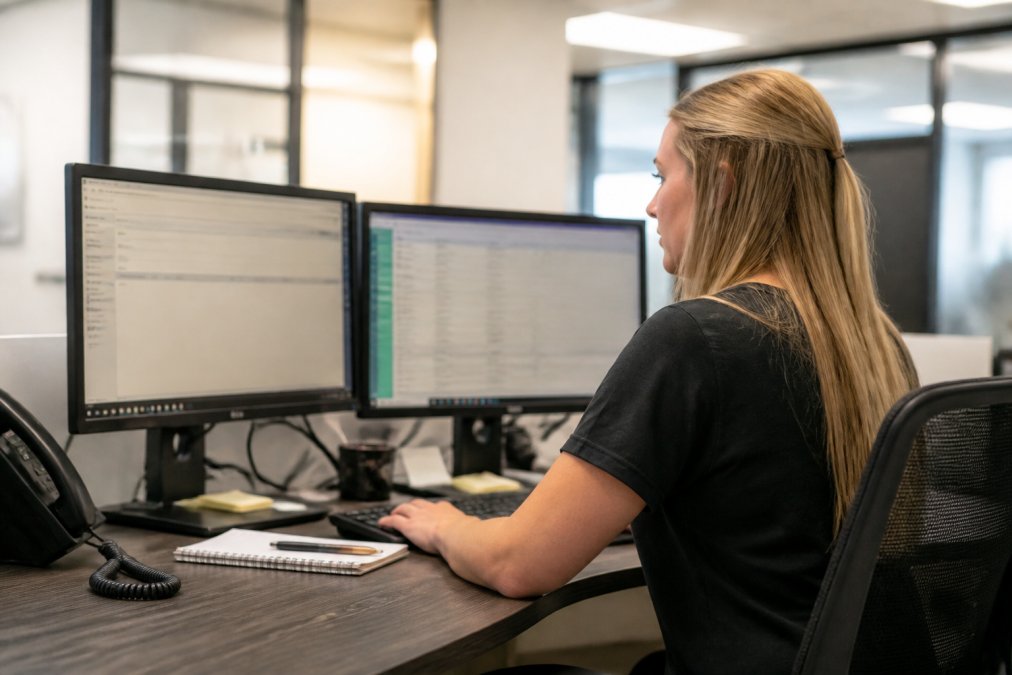
ServiceTitan and Housecall Pro excel here with clean, responsive dashboards designed for speed. You can reschedule 20 jobs in 5 minutes if needed. Onfleet’s interface is slightly more delivery-focused but still highly usable.
The real value emerges when you pair a strong dashboard with real-time GPS data. A dispatcher sees that a technician is running 15 minutes behind and uses the dashboard to shift the next two jobs to another technician in 30 seconds instead of 10 minutes of phone calls.
Digital Proof of Delivery and Job Completion
Digital proof of delivery, ePOD, is the electronic capture of evidence that a job was completed. A technician takes a photo of the finished work, captures a customer signature, or both. The data flows back to the office immediately, creating an audit trail and eliminating the "did they actually do the work?" question.
For field service businesses, this is non-negotiable. You need proof that the job was done, done correctly, and accepted by the customer. A photo of a completed HVAC installation, a signed work order on a technician’s phone, or a time-stamped before-and-after of a remodeling job all serve as documentation.
Most modern dispatching software includes basic ePOD with photo capture and signature. Onfleet and Tookan add barcode scanning and ID verification. Housecall Pro integrates ePOD with invoicing, so the moment the technician captures proof of completion, an invoice can be generated and sent to the customer.
The secondary benefit is customer communication. When a customer sees a photo of their completed job within minutes of the technician leaving, trust goes up. They know the work was done and can review quality immediately.
Automated Customer Notifications and Alerts
Automated customer notifications eliminate the need for dispatchers to manually call or text every customer with updates. The system sends notifications automatically: "Your appointment is confirmed for tomorrow at 2 PM," "Your technician is on the way, arriving in 12 minutes," "Your technician has completed the work."
These notifications reduce no-shows, reduce customer anxiety, and reduce the number of "where are you?" phone calls your dispatcher has to field. A customer who knows their technician is 10 minutes away will be ready when they arrive.
Most platforms offer templated notifications that you customize. ServiceTitan and Housecall Pro let you set triggers: send a confirmation 24 hours before the appointment, send an arrival notification when the technician is 5 minutes away, send a completion notification with an invoice link.
Some systems let customers reply to notifications, "Can you come an hour earlier?" or "We’re not home, please reschedule." The dispatcher sees the reply and can respond immediately, reducing back-and-forth phone tag.
Dispatch Software Integration Best Practices
Dispatch software integration best practices focus on connecting your dispatching system to your other business tools: CRM, accounting software, estimating tools, and payment processing. The goal is data flowing seamlessly between systems instead of manual data entry creating errors and delays.
A well-integrated system means a customer books online, the appointment appears in the dispatcher’s queue automatically, the technician gets the job on their mobile app, completes the work, captures proof of delivery, and an invoice is automatically generated and sent to the customer. Zero manual data entry.
The most common integration points are accounting software (QuickBooks, Xero), payment processors (Square, Stripe), and customer communication tools (Twilio for SMS, email platforms). Housecall Pro integrates natively with QuickBooks. ServiceTitan has a strong API for custom integrations. Onfleet and Tookan focus on delivery-specific integrations like Shopify and WooCommerce.
Best practice is to start with the integrations that save the most labor. For most home service businesses, that’s accounting software (eliminates manual invoice entry) and payment processing (eliminates manual payment reconciliation). Online booking integration is next (eliminates manual appointment entry).
| Integration Type | Priority | Labor Saved | Typical Setup Time |
|---|---|---|---|
| Accounting Software | High | 5-8 hours/week | 2-4 hours |
| Payment Processing | High | 3-5 hours/week | 1-2 hours |
| Online Booking | Medium | 2-4 hours/week | 1-3 hours |
| Email/SMS Platform | Medium | 1-2 hours/week | 1 hour |
| CRM Integration | Low | 1-2 hours/week | 4-8 hours |
Key Dispatch Software Benefits for Your Operation
The core benefits of dispatch software are efficiency, visibility, and customer satisfaction. Efficiency means less time spent on manual scheduling and more time on revenue-generating work. Visibility means knowing what’s happening in the field in real time. Customer satisfaction means customers know when their technician is arriving.
For a plumbing or HVAC business, these benefits translate directly to the bottom line. A dispatcher who spends 3 hours per day manually assigning jobs is overhead. Automation cuts that to 30 minutes. A technician who spends 20 minutes per day checking in with the office is lost productivity. Real-time GPS and mobile apps eliminate those check-ins. Automated reminders reduce no-shows by 15-25%.
Better data about technician productivity helps you identify underperformers and top performers. Better data about job duration helps you estimate more accurately. Dispatch software is not just an operational tool, it’s a data tool.
For businesses scaling from owner-managed operations to professionally managed operations, dispatch software is the bridge. You can’t scale to 20 technicians with a dispatcher using a spreadsheet and a phone. Hard Hat Helpers’ virtual dispatchers are trained on the software your business uses and can manage larger job volumes because they have better tools and better process.
What to Look for When Choosing Dispatching Software
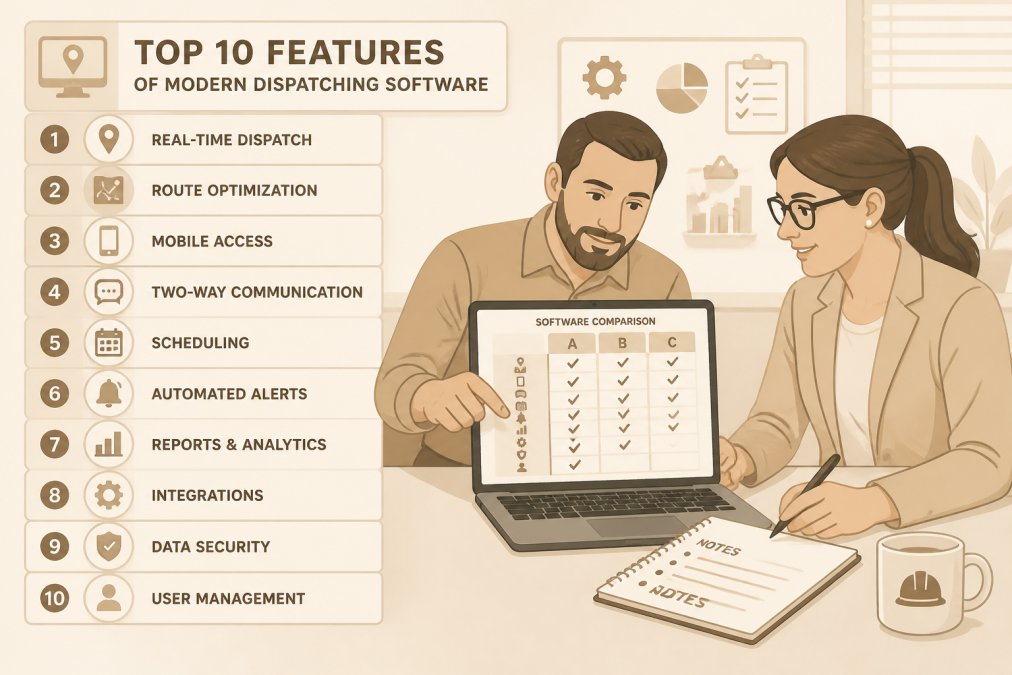
When evaluating dispatching software, focus on four dimensions: core features, ease of use, integration capabilities, and cost.
Core features are the table stakes. You need real-time GPS tracking, automated dispatching, a mobile app for technicians, and proof of delivery. Every major platform offers these. Test the mobile app on a technician’s phone. Try the dispatcher dashboard with your team. See if the interface matches how your business actually works.
Ease of use matters because your team will use this software every day. If the interface is confusing, your dispatchers will work around it. If the mobile app is slow, your technicians will skip steps.
Integration capabilities determine whether the software becomes a central hub for your business or another disconnected tool. Can it connect to your accounting software? Your payment processor? Your online booking system?
Cost is the final filter. Most platforms charge per technician per month, with pricing depending on quantity, dates, and delivery. For example, ServiceTitan pricing ranges from $245 to $398 per technician per month, depending on the plan tier and company size, with implementation fees ranging from $5,000 to $50,000. Housecall Pro pricing starts at $59 per month for the Basic plan and goes up to $299 per month for the MAX plan when billed annually, with additional costs for extra users and add-ons. Onfleet’s pricing ranges from $619 to $3,099+ per month, based on monthly task volume. Tookan’s paid plans begin at $99.00 per month for the Startup tier, which includes 700 tasks per month, with additional tasks billed at $0.15 each, and many advanced features are available only as paid add-ons. Route4Me’s per-user costs range from $199 to $349 per month before add-ons, and a 10-user team on the Business plan costs approximately $2,990 per month. Understand the pricing model and calculate your total cost based on your team size.
For home service businesses, the best approach is to start with a platform that covers your core needs at a reasonable cost, then expand integrations as you grow. Housecall Pro is a solid starting point for businesses under 20 technicians. ServiceTitan is the upgrade path for larger operations.
Choosing the right dispatching software affects your entire operation. The best platform for your business is the one your team will actually use consistently, that connects to your other business systems, and that scales with you as you grow. Start by identifying your biggest operational pain points: are you drowning in manual scheduling? Losing jobs because you can’t see the field? Struggling with customer communication?
Hard Hat Helpers specializes in helping home service businesses implement and manage dispatch operations. Our virtual dispatchers are trained on the major platforms and understand how to configure them for HVAC, plumbing, electrical, and remodeling workflows. We handle the day-to-day dispatching, optimization, and customer communication, letting you focus on growth instead of operations. Book a consultation to see how we can reduce your overhead and improve your dispatch efficiency.
Frequently Asked Questions
What is the best dispatching software for home service businesses?
The best dispatching software depends on your specific needs, but top choices include ServiceTitan, Housecall Pro, and WorkWave Service. Look for platforms that offer real-time GPS tracking, automated scheduling, mobile crew access, and integration with your CRM. For home service companies, prioritize software that handles proof of delivery, customer notifications, and works well with HVAC, plumbing, and electrical workflows. Hard Hat Helpers can help you implement and manage dispatching software by providing pre-trained dispatchers who understand your specific service areas and pricing structures.
How does dispatch software integration with CRM systems improve efficiency?
Integrating dispatching software with your CRM creates a unified workflow where customer information, service history, and job details flow seamlessly between systems. This eliminates duplicate data entry, reduces errors, and gives dispatchers instant access to customer context. When dispatch software syncs with your CRM, dispatchers can prioritize jobs based on customer value, service history, and preferences. The result is faster job assignment, better customer communication, and data-driven decision making that reduces operational overhead.
What automated dispatching system features reduce manual work the most?
The most impactful automated dispatching system features are AI-driven job assignment, route optimization, and automated customer notifications. AI-driven assignment considers technician skills, location, availability, and workload to match jobs instantly without manual review. Route optimization calculates the most efficient sequence, cutting travel time and fuel costs. Automated notifications remove the need for manual calls and texts. Together, these features can reduce dispatcher workload by 40-50%, freeing your team to focus on complex scheduling issues and customer relationships rather than routine task allocation.
Why is mobile crew access critical in modern dispatching software?
Mobile crew access allows technicians to receive job details, navigate to locations, update status, and capture proof of delivery directly from the field without returning to the office. This real-time visibility keeps dispatchers informed of actual progress, enables dynamic re-routing when priorities change, and reduces communication delays. Crews can access customer information, service history, and pricing on-site, improving first-time fix rates and customer satisfaction. Without mobile access, dispatchers lose visibility and crews waste time returning to base for updates.