




Last Updated: October 29, 2026
Quick Summary
Plumbing staff training succeeds when you treat it as a project with dates, owners, and checkpoints, not an IT task. Name a training owner and backup, map core workflows on paper, protect a training calendar, and train office and dispatch staff before field technicians. Run a one-week parallel test before go-live, then review progress weekly for the first month.
- Field technicians learn best in 15-minute sessions on the truck, not two-hour classroom meetings.
- Train office and dispatch staff first so they become the informal help desk for field staff.
- Run the old method alongside the new system for one week before full go-live.
- Track jobs per technician per day, estimate time, invoice errors, and calls to the office for help.
- Do not measure ROI during the parallel week or first week after go-live.
Table of Contents
- Why Software Rollouts Fail Without a Training Plan
- Build Your Plumbing Software Onboarding Checklist
- Training Field Technicians on New Software in Short Sessions
- Field Service Software Training That Sticks: Office and Dispatch Staff
- A Step-by-Step Plumbing Software Implementation Roadmap
- Troubleshooting Common Software Adoption Hurdles
- Measuring ROI of Plumbing Staff Training
- Start Your Software Rollout with Trained Virtual Staff
- Frequently Asked Questions
Why Software Rollouts Fail Without a Training Plan
Most plumbing software rollouts fail for one reason: nobody planned the plumbing staff training. A new platform goes live on Monday, and by Friday the crew is back to paper tickets.
Training plumbing staff on new software is not an IT task. It is a people task. And it needs a plan before the first login.
A dispatch tool only works when the people using it trust it.
Three things commonly derail a rollout:
- No owner. Nobody is responsible for training, so it never happens.
- No schedule. Training gets squeezed into “sometime next week” and never lands.
- No follow-up. Staff learn once, forget, and quietly stop using the tool.
Software adoption means getting your team to actually use a new system in daily work. It is a habit problem, not a tech problem.
The fix is simple: treat training like a project with dates, owners, and checkpoints. The sections below show you exactly how.
Build Your Plumbing Software Onboarding Checklist
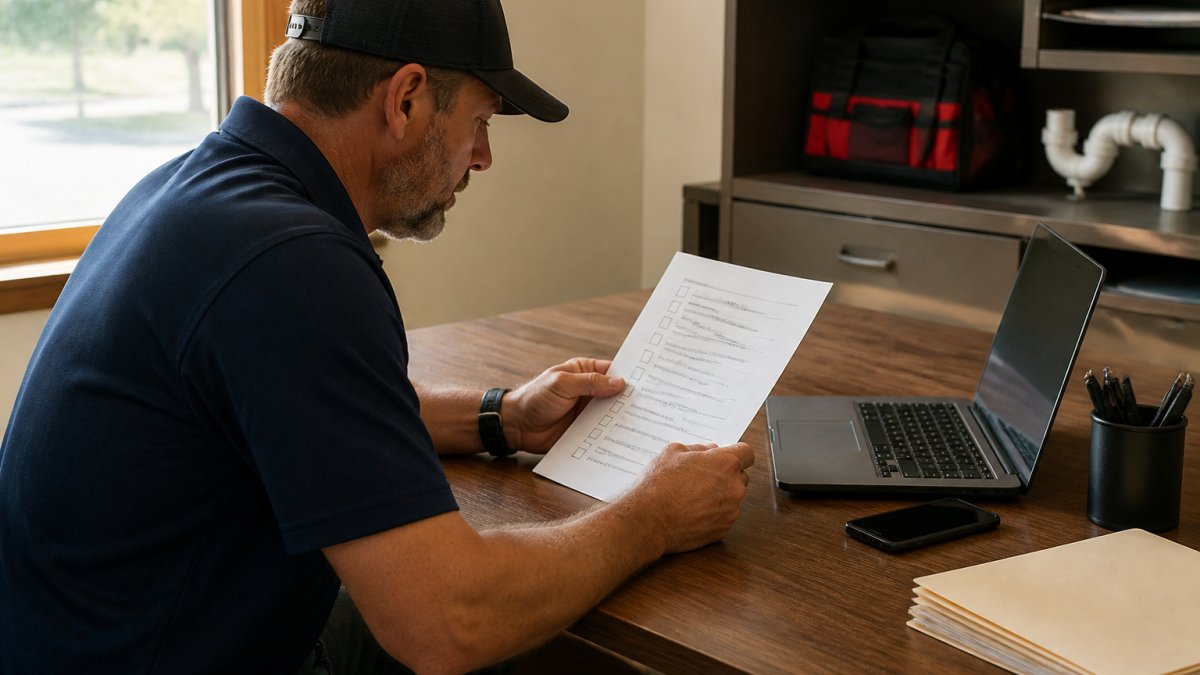
A plumbing software onboarding checklist lists every task a staff member must complete to use the new system well, turning a vague “learn the software” goal into trackable steps.
Build yours around four phases:
- Before access: confirm login, role, and permissions.
- First login: walk through the home screen and daily dashboard.
- Core tasks: practice one real job from start to finish.
- Confidence check: staff complete a task alone while a trainer watches.
Keep each item small and specific. “Create a work order” beats “learn scheduling.”
If you want a ready-made version, our virtual assistant onboarding checklist for plumbing gives you a starting point you can adapt to your own tools.
Training Field Technicians on New Software in Short Sessions
Field technicians learn best in short sessions, not long classroom days. A 15-minute session on the truck beats a two-hour meeting every time.
Technicians are busy. Pull them off jobs for a full day and you lose billable hours and goodwill.
Try this rhythm:
- 10 minutes before the first call: show one feature.
- 5 minutes at lunch: answer questions.
- 10 minutes at day’s end: practice the same feature on a real job.
Repeat for a week. By Friday, the crew has used the tool on live work without losing a day.
A common mistake is training everyone at once on everything. Teach one task per session: scheduling on Monday, digital estimates on Tuesday, invoice generation on Wednesday.
Technicians trust the tool when it saves them time on site. Show the time saved, not the feature list.
For a deeper training plan, see our guide on how to train remote estimators effectively, which covers software onboarding, performance metrics, and quality control.
Field Service Software Training That Sticks: Office and Dispatch Staff
Office and dispatch staff need a different approach. They live in the software all day, so they need depth, not just a quick tour.
Field service software training for this group should cover the full workflow: dispatching a tech, tracking the job, and closing it out with an invoice.
Start with the busiest workflow: technician dispatching. Have each dispatcher run five practice jobs with a trainer nearby. Then let them run live jobs with backup on call.
Next, cover customer relationship management. Show how to log a call, attach notes, and follow up. Then move to payment processing and invoice generation.
Two rules keep this training sharp:
- Use real data. Practice on real customers and jobs, not fake examples.
- Build a backup. Every dispatcher should know who to ask when stuck.
If your team struggles with the technical side, our guide to non-technical user support breaks down how to help staff with limited technical knowledge.
A Step-by-Step Plumbing Software Implementation Roadmap
A plumbing software implementation roadmap is a dated plan that moves your team from old tools to the new system without losing work.
Step 2: Map your core workflows before you touch the software. List the daily operations the software must handle: job scheduling, dispatching, estimates, invoicing, payments, and customer follow-up.
Step 3: Set a training calendar and protect it. Block sessions before go-live and treat them like customer appointments.
Step 5: Run a parallel week before full go-live. For one week, keep the old method running alongside the new system for scheduling and invoicing only.
Step 6: Go live with named support. Have the training owner or backup available on day one and through the first week.
Step 7: Review and adjust weekly for the first month. Check progress weekly and fix what is not working.
| Step | What You Do | Timing | Gate to Pass |
|---|---|---|---|
| 1 | Name a training owner and backup | Week 1 | Names announced in writing |
| 2 | Map core workflows on paper | Week 1 | Every daily task has a mapped step |
| 3 | Set and protect the training calendar | Week 2 | Sessions blocked before go-live |
| 4 | Train office and dispatch first | Week 3 | Dispatchers run five practice jobs |
| 5 | Train field technicians in short sessions | Week 4 | Each tech completes one live job in the tool |
| 6 | Run a one-week parallel test | Week 5 | No missing fields or permission errors |
| 7 | Go live with named support | Week 6 | Support contact published to all staff |
| 8 | Review and adjust weekly | Weekly after launch | Four ROI numbers reviewed monthly |
Build the roadmap backward from your busiest season, not forward from today. If summer is your peak, the parallel week should land at least a month before the first heat wave, not during it.
For the bigger picture on software, scheduling, and staffing, our guide to simplifying plumbing business operations expands this roadmap into a full operations plan.
Troubleshooting Common Software Adoption Hurdles
Resistance is normal, and it usually has a cause. Find the cause and the resistance fades.
The three most common hurdles:
- Fear of looking slow. Staff avoid the tool because they feel clumsy. Fix: give private practice time.
- “The old way was faster.” This is true at first. Fix: show the time saved over a full week, not a single job.
- No clear answer when stuck. Staff give up when help is hard to find. Fix: name a go-to person and share their contact.
One more hurdle catches many owners: training happens once and stops. Software adoption needs refreshers. Run a short check-in each month to catch bad habits early.
Change management matters here. Tell staff why the change is happening, what it means for them, and how they will be supported. Do that, and most resistance disappears.
Measuring ROI of Plumbing Staff Training
You can measure training ROI with a few simple numbers, no finance team required. Capture a baseline before training starts, then compare the same numbers after. A one-month before-and-after comparison is usually enough, provided the month is not your busiest or slowest of the year.
Track these four numbers before and after training:
- Jobs completed per technician per day. Pull this from your dispatch or job history report. Training should push this up as technicians spend less time on paperwork and more time on the job.
- Time to create an estimate. Time a sample of estimates from first customer contact to sent estimate. Digital estimates should be faster than paper, especially when the technician can build the estimate on site.
- Invoice errors per week. Count invoices that need correction, credit, or a second visit to fix a billing mistake. Fewer errors means cleaner billing and less office rework.
- Calls to the office for help. Count the calls and texts from field staff asking how to do something in the software. This should drop as staff gain confidence.
To turn these into a dollar figure, use your own numbers, not industry averages. A simple method:
- Value one technician hour. Use your loaded labor cost per hour, including payroll taxes and benefits, not just the wage.
- Value one avoided invoice error. Use the average office time to correct an invoice, plus any credit or rework cost.
- Multiply the change by the value. If jobs per tech rise by one per day across five technicians, that is five additional jobs per day. Multiply by your average job revenue to see the weekly gain.
Use your own job history to estimate the weekly gain from one extra job per technician per day, and compare it against the cost of the training hours.
Do not measure ROI during the parallel week or the first week after go-live. Those weeks are artificially slow because staff are learning. Start the after-training measurement in week two or three, once the parallel test is over.
KPI tracking turns a soft topic into a hard result. Put the four numbers on one page and review them monthly. When staff see their own progress, adoption speeds up, and you have a defensible answer when someone asks whether the software was worth it.
The ROI question is not “did staff like the training?” It is “did the four numbers move in the right direction, and by enough to cover the training hours?” Answer that with your own baseline, and you have a result you can act on.
Start Your Software Rollout with Trained Virtual Staff
The fastest way to train your team is to start with people who already know the software. That is where we come in.
Hard Hat Helpers provides virtual dispatchers, estimators, and office managers trained specifically for the home services industry. Our staff come ready to work inside your systems, and we handle onboarding, payroll, and benefits. Every client gets a dedicated Client Success Manager and 24/7 availability, so your dispatch never goes dark.
You can learn more about virtual assistants for plumbing companies and how trained staff fit into your rollout. We tailor training to your products, services, and tools, so your new team member is productive faster.
Get started with Hard Hat Helpers and put trained virtual staff on your software from day one.
Frequently Asked Questions
How long does it take to train plumbing staff on new software?
Plan for a phased rollout: logins and navigation first, then scheduling, estimates, and invoicing, with office staff typically needing more practice than field staff. Plan for at least one refresher session after go-live.
What should a plumbing software onboarding checklist include?
A plumbing software onboarding checklist should cover account setup, role assignments, and access permissions first. Then add core workflows: job scheduling, technician dispatching, digital estimates, invoice generation, and payment processing. Include a short quiz or sign-off for each workflow so you can confirm learning. Finish with a live practice day where staff run a sample service call from booking to payment. Keep the checklist visible during the first two weeks and update it as your team finds gaps.
How do you get resistant employees to adopt new software?
Start by naming the problem the software solves for them, not for the business. A technician who hates paperwork will care more about fewer forms than about operational efficiency. Recruit one respected technician as a peer champion and let them demo the mobile app to coworkers. Train in small groups and never in front of the whole company. Remove any step that adds work without a clear payoff, and share early wins, such as faster invoice generation or fewer scheduling calls, within the first two weeks.
How do you measure whether software training is working?
Track a small set of numbers before and after training: time to create an estimate, invoice generation time, number of dispatch calls per day, and software logins per technician. Set a target for each, such as cutting estimate turnaround by half within 30 days. Add a short skills check after each training session so you catch gaps early. Review the numbers with your team weekly. If a metric stalls, the cause is usually a workflow problem, not a training problem.