




Table of Contents
- What Is Technical Support?
- The Three Tiers of Technical Support: Understanding Tier 1 IT Support
- Key Roles and Responsibilities in Technical Support
- Technical Support Tools for Small Business Operations
- Technical Support Workflow Examples: From Ticket to Resolution
- Why Technical Support Matters for Business Success
- The Future of Technical Support: Remote, AI, and Soft Skills
- Frequently Asked Questions
Last Updated: September 2, 2026
What Is Technical Support?
Technical support is the service provided to help users resolve hardware, software, and connectivity issues that prevent them from using technology effectively. It’s the backbone of any functioning IT infrastructure, combining troubleshooting expertise with customer service to minimize downtime and keep operations running smoothly.
At Hard Hat Helpers, we understand that technical support isn’t just about fixing problems, it’s about enabling your team to work without interruption. For home service businesses managing dispatch systems, estimating software, and customer management platforms, reliable technical support means the difference between a smooth day and operational chaos.
Technical support encompasses several key functions: diagnosing problems, implementing solutions, documenting issues for future reference, and escalating complex cases to specialized teams. The support process typically begins when a user reports an issue through a ticket system, help desk portal, or direct contact. A support specialist then gathers information, performs diagnostics, and either resolves the issue immediately or routes it to the appropriate tier for deeper investigation.
The scope of technical support varies widely. Some organizations provide support only during business hours, while others maintain 24/7 availability to handle critical issues. The sophistication of support operations ranges from a single person handling all requests to large teams organized by specialization, geographic region, or product line.
The Three Tiers of Technical Support: Understanding Tier 1 IT Support
Technical support is typically organized into three escalation levels, each handling increasingly complex problems. This tiered structure ensures that simple issues are resolved quickly while difficult cases receive the expertise they require.
Tier 1: First-Line Support and Incident Management
Tier 1 support, also called first-line support or help desk, is the initial point of contact for users experiencing issues. These specialists handle the highest volume of tickets and resolve the majority of problems without escalation (peer-reviewed research). A Tier 1 IT support specialist typically manages basic troubleshooting for common issues: password resets, software installation guidance, network connectivity problems, and user authentication errors.
Tier 1 specialists use knowledge bases and documented procedures to handle routine requests efficiently. They’re trained to gather detailed information about each issue, reproduce problems when possible, and follow established troubleshooting steps. Their role includes creating and managing incident tickets, documenting solutions for future reference, and communicating status updates to users.
The goal of Tier 1 is rapid resolution and user satisfaction. When a Tier 1 specialist encounters a problem beyond their scope, they escalate the ticket with complete documentation, ensuring continuity for the next level.
Tier 2 and Tier 3: Escalation and Specialized Problem-Solving
Tier 2 support handles tickets escalated from Tier 1, typically involving more complex technical issues (comptia.org). These specialists have deeper expertise in specific systems, network infrastructure, database administration, cloud platforms, or application-specific problems. They investigate root causes, implement advanced solutions, and often work directly with system configuration and maintenance.
Tier 3 support represents the highest level of technical expertise, reserved for the most complex issues, system architecture decisions, and vendor coordination. Tier 3 specialists may work with infrastructure design, security protocols, patch management, and system recovery. They also handle escalations that require vendor involvement or decisions about major system changes.
The escalation path is critical to technical support workflow. Clear criteria determine when a ticket moves between tiers, usually based on issue complexity, required expertise, or system impact. Proper escalation prevents wasted time and ensures users receive expert attention when needed.
Key Roles and Responsibilities in Technical Support
Technical support teams include several distinct roles, each with specific responsibilities. Understanding these roles clarifies how support organizations function and why specialized expertise matters.

A help desk specialist or Tier 1 support agent serves as the first responder. They answer incoming requests, document issues, perform initial diagnostics, and resolve straightforward problems. This role requires strong communication skills, patience, and the ability to explain technical concepts to non-technical users. Help desk specialists must also manage multiple tickets simultaneously while maintaining service level agreements.
A technical support specialist or Tier 2 engineer digs deeper into complex issues. They investigate system logs, configure software and hardware settings, and troubleshoot problems involving multiple components. This role demands strong technical proficiency, problem-solving ability, and often certification in specific technologies.
A systems administrator manages IT infrastructure, including servers, networks, data backup, and system recovery. They handle patch management, security protocols, user authentication systems, and cybersecurity protocols. This role bridges technical expertise and business strategy.
A support manager oversees the support team, monitors performance metrics, handles escalations from customers, and ensures service level agreements are met. They manage staffing, training, and process improvements.
For small businesses, these roles often overlap. A single person might handle both Tier 1 and Tier 2 responsibilities, or a small team might share administrative duties alongside support work. Hard Hat Helpers provides pre-trained virtual staff who understand home service operations, dispatchers, estimators, and office managers who can integrate directly into your existing workflows without the overhead of full-time hiring.
Technical Support Tools for Small Business Operations
Effective technical support requires the right tools. Most support operations rely on a help desk platform to manage tickets, track issue status, and document solutions. These platforms create accountability, ensure nothing falls through the cracks, and provide data for performance analysis.
Common technical support tools include:
- Help desk and ticketing systems for managing incident management and tracking resolution progress
- Remote desktop access software allowing support specialists to view and control user computers for diagnostics
- Knowledge bases storing documented solutions and troubleshooting procedures
- Network monitoring tools detecting connectivity issues and system performance problems
- Software deployment tools for remote installation and updates
- Documentation platforms for maintaining technical records and system configurations
Small businesses often start with basic tools and expand as operations grow. The right tool selection depends on your team size, complexity of systems, and budget.
For home service businesses, integration with existing systems matters significantly. Your technical support tools should connect with your dispatch software, estimating platform, and customer management system. Hard Hat Helpers ensures our virtual staff are trained on your specific tools and workflows, eliminating the learning curve that typically slows new hires.
Technical Support Workflow Examples: From Ticket to Resolution
Understanding how support tickets move through your organization reveals where bottlenecks occur and how to improve efficiency. A typical workflow follows this path: ticket creation, initial assessment, troubleshooting, resolution or escalation, documentation, and closure.
Hardware Diagnostics and Network Connectivity Issues
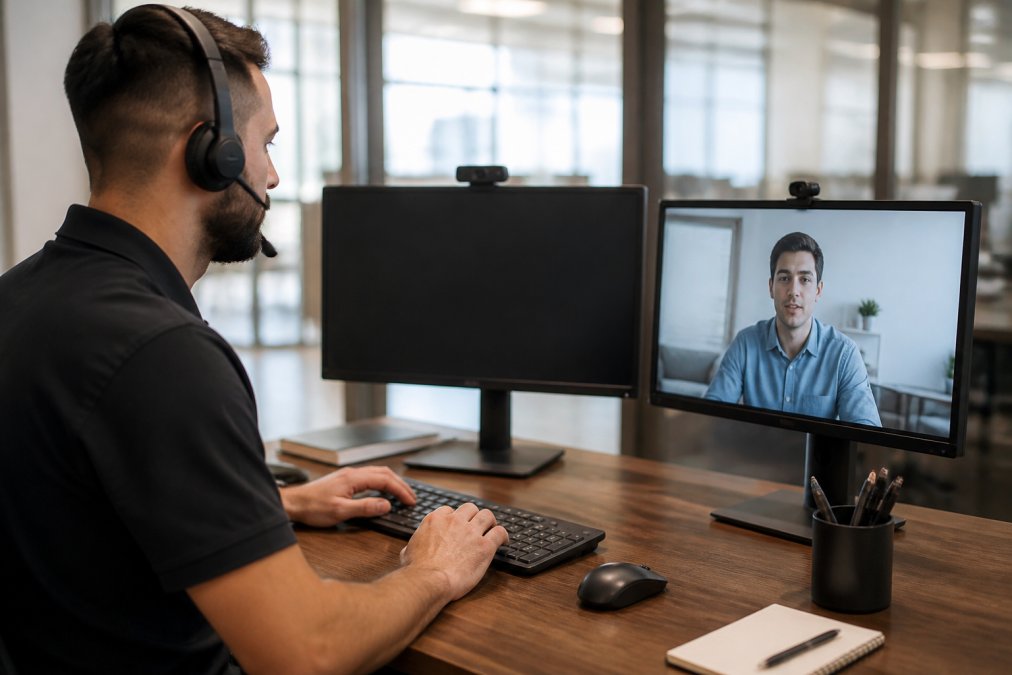
When a user reports that their computer won’t connect to the network, a Tier 1 specialist begins with basic diagnostics. They verify the user can see the network, check if other devices connect successfully, and confirm whether the issue is device-specific or network-wide. Simple fixes like restarting the router or reconnecting to WiFi resolve many cases immediately. IT support response times.
If initial steps don’t work, the specialist checks for driver updates, reviews network settings, and verifies IP address configuration. Network connectivity problems sometimes stem from authentication issues, expired credentials, incorrect passwords, or permission settings blocking access.
For persistent connectivity issues, Tier 2 gets involved. They examine network infrastructure, check firewall rules, review system logs, and investigate whether the problem involves VPN access, cloud infrastructure, or corporate network settings. Root cause analysis becomes critical, is this a device issue, a network configuration problem, or a service outage?
Documentation of each step matters. When the next user reports similar symptoms, the knowledge base provides a troubleshooting path. This prevents repeated investigation of identical problems and accelerates resolution for subsequent cases.
Software Installation and User Authentication Problems
Software installation problems typically involve missing dependencies, permission issues, or incompatible system configurations. A user might report that installation fails partway through, or the application won’t launch after installation completes.
Tier 1 support verifies system requirements, operating system version, available disk space, required memory, and conflicting software. They check whether the user has administrative privileges to install software, as many enterprise systems restrict installation rights. They confirm the installation file isn’t corrupted and try installing from an alternative source if available.
User authentication problems occur when someone can’t log into a system or application. This might involve forgotten passwords, expired credentials, or incorrect username entry. A Tier 1 specialist can reset passwords through the authentication system, verify account status, and confirm the user is entering credentials correctly.
More complex authentication issues involve multi-factor authentication failures, expired certificates, or permission problems. A user might have the right password but lack access to specific resources due to group membership or role configuration. Tier 2 specialists investigate authentication logs, review permission settings, and coordinate with systems administrators to resolve access issues.
Why Technical Support Matters for Business Success
Downtime costs money (bls.gov). When systems fail, employees can’t work, customers can’t access services, and operations stall. Technical support minimizes these disruptions by resolving issues quickly and preventing problems before they occur.
Effective technical support also improves employee productivity. When users get quick answers to technical questions, they spend less time troubleshooting and more time on productive work. Good support reduces frustration, improves morale, and increases retention.
For home service businesses specifically, technical support directly impacts customer service quality. If your dispatch system goes down, technicians can’t receive job assignments. If your estimating software fails, you can’t generate quotes. If customer management platforms experience issues, you lose visibility into customer history and preferences. Technical support keeps these critical systems running reliably.
Beyond problem resolution, technical support provides valuable data about system usage, common issues, and areas needing improvement. Analyzing support tickets reveals which features confuse users, where training gaps exist, and which systems need upgrades or replacement.
The Future of Technical Support: Remote, AI, and Soft Skills
Technical support is evolving rapidly. Remote support capabilities have become essential, allowing specialists to help users regardless of physical location. Video calls, screen sharing, and remote desktop access enable faster diagnosis and resolution without requiring on-site visits.
Automation and AI are changing support operations. Chatbots handle routine questions, ticket routing systems automatically assign issues to appropriate specialists, and AI-powered diagnostics can suggest solutions before human review. These tools don’t replace support specialists, they handle high-volume routine tasks, freeing specialists for complex problems requiring human judgment.
Soft skills are becoming increasingly important in technical support. The ability to explain technical concepts clearly, listen actively, and remain patient with frustrated users separates exceptional support teams from mediocre ones. Empathy and active listening help specialists understand what users actually need, not just what they report. Problem-solving ability, the capacity to think through unfamiliar issues systematically, matters more than memorized procedures.
For businesses scaling operations, managing support quality becomes challenging. You need specialists who understand your systems, your business processes, and your customer needs. Hard Hat Helpers solves this by providing pre-trained virtual staff specifically prepared for home service operations. Our dispatchers understand service areas and scheduling. Our estimators know pricing structures and proposal processes. Our office managers grasp the unique workflows of HVAC, plumbing, and remodeling businesses. This tailored training eliminates the months-long learning curve typical with general staffing services.
Our 24/7 availability means you have support coverage when you need it, nights, weekends, and holidays, without the overhead of full-time hiring. A dedicated Client Success Manager ensures continuous performance monitoring and rapid adjustments when issues arise. You reduce administrative burden through managed payroll and benefits while accessing reliable, expert talent that integrates seamlessly into your existing operations.
Technical support isn’t a luxury, it’s foundational to reliable operations. Whether you’re managing internal IT systems or supporting customers, the quality of your support determines how effectively your business functions. For home service companies juggling dispatch, estimating, customer management, and field operations, reliable administrative support is equally critical. Hard Hat Helpers provides the trained virtual staff you need to handle office management, dispatching, and estimating without the hiring complexity and overhead costs. Book a consultation to explore how pre-trained specialists can transform your operations and cut administrative costs by over 50%.
Frequently Asked Questions
Q: What is the primary role of technical support in a business?
A: Technical support resolves hardware, software, and network issues that prevent employees and customers from working effectively. The primary role is to minimize downtime through incident management, ticket resolution, and root cause analysis. Support teams maintain system uptime, ensure user authentication works properly, and provide end-user support across an organization’s IT infrastructure. This directly impacts productivity, customer satisfaction, and operational costs. For home service businesses like HVAC or plumbing firms, reliable technical support ensures dispatch systems, CRM tools, and estimating software run without interruption.
Q: What’s the difference between IT support and a help desk?
A: A help desk is the first point of contact for end-user issues, typically handling password resets, software questions, and basic troubleshooting. IT support is broader and includes help desk functions plus infrastructure management, system maintenance, patch management, data backup, and network connectivity. IT support also manages escalation paths for complex issues that help desk staff cannot resolve. In small businesses, these roles often overlap, with one person or team handling both help desk and IT support responsibilities.
Q: What skills are most important for a technical support specialist?
A: Technical proficiency with operating systems, peripheral devices, and cloud infrastructure is essential, but soft skills matter equally. Active listening and empathy help support specialists understand user problems accurately and communicate solutions clearly. Problem-solving ability enables technicians to troubleshoot beyond standard procedures and find root causes. For high-stress environments, patience and composure prevent frustration from affecting customer satisfaction. Knowledge base familiarity and technical documentation review speed up resolution time. Home service companies benefit most from specialists who combine technical skills with the ability to understand business workflows specific to dispatch, estimating, and field operations.
Q: Can you give me an example of a technical support workflow?
A: A typical workflow starts when a user submits a ticket describing a problem. Tier 1 support performs initial diagnostics, checking network connectivity, user authentication, and basic hardware status. If the issue involves hardware diagnostics or requires system recovery, the ticket escalates to Tier 2. Tier 2 may reinstall software, manage patches, or access remote desktop to investigate further. If specialized expertise is needed, Tier 3 handles deep infrastructure work. Throughout, the support team documents findings, tracks SLA metrics, and updates the customer. Resolution ends with ticket closure and a satisfaction survey to measure customer satisfaction and identify training gaps.

