



Table of Contents
- Jobber for Small HVAC Contractors: The Verdict
- Key Features That Matter for HVAC Operations
- Jobber vs Housecall Pro for HVAC: Which Wins
- Automating HVAC Dispatching and Scheduling with Jobber
- Virtual Assistant Services for HVAC Contractors: Beyond Software
- Real Costs and Hidden Expenses
- Common Mistakes HVAC Shops Make With Jobber
- Conclusion: Does Jobber Deliver ROI for Your Shop
Last Updated: August 17, 2026
Jobber for Small HVAC Contractors: The Verdict
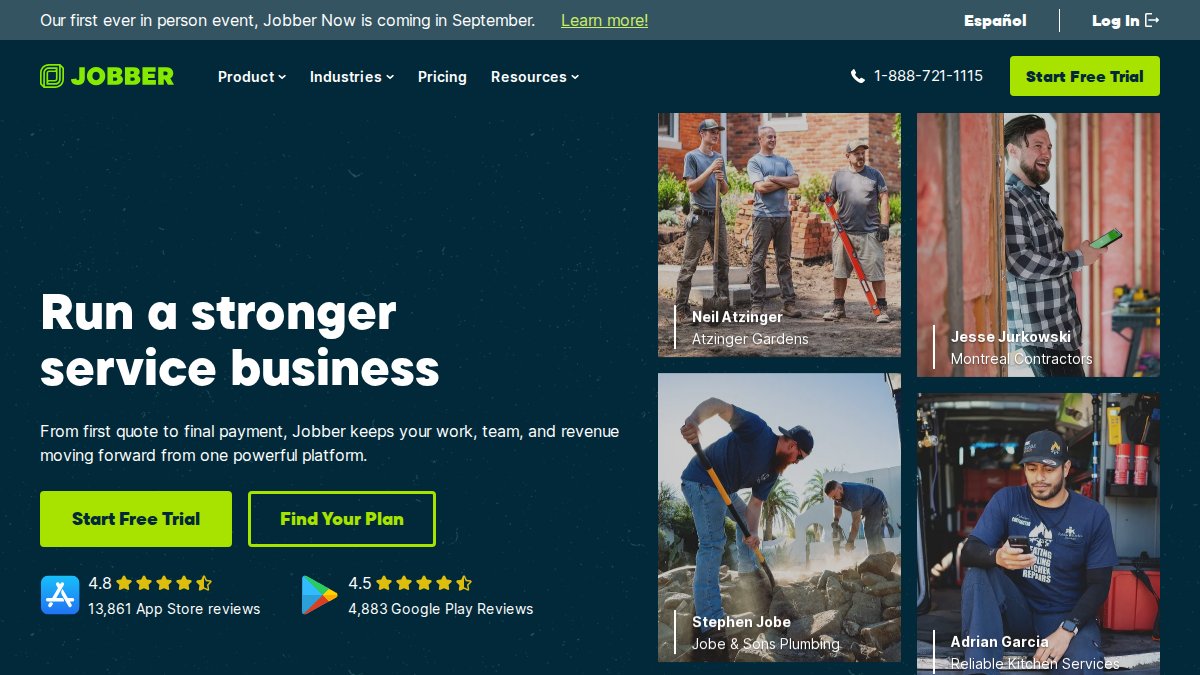
Is Jobber worth it for small HVAC contractors? For solo operators or shops with 2-4 technicians, Jobber excels at scheduling, dispatching, and mobile invoicing with an intuitive interface that requires minimal training. However, it leaves gaps that become painful as you scale: it won’t manage estimating like a seasoned office manager, track inventory like a dedicated system, or replace human judgment for complex customer relationships and pricing decisions.

At Hard Hat Helpers, we work with HVAC contractors daily caught between software solutions and administrative overhead. The honest answer: Jobber is a strong field service platform, but not a complete business solution. This guide examines what Jobber delivers, how it stacks against alternatives, and where it leaves gaps that matter, plus how virtual assistant services complement software to create a truly scalable operation.
Key Features That Matter for HVAC Operations
Scheduling and Dispatching
Jobber’s drag-and-drop scheduling calendar handles job assignment efficiently. You see technician availability, assign jobs visually, and update schedules in real time. Technicians receive immediate notifications when jobs are assigned, reducing lag between dispatch and arrival. The mobile app lets your crew see their daily schedule, navigate to jobs, and access customer details without returning to the office, every minute saved is billable time.
For HVAC shops running 3-5 trucks, this efficiency compounds quickly. However, Jobber lacks route optimization; it won’t automatically sequence jobs to minimize drive time. If your service area spans 30+ miles with multiple technicians, you’ll spend time manually optimizing routes. Platforms like ServiceTitan or FieldEdge handle this, though at higher price points.
Mobile Invoicing and Payment Processing
Creating an invoice on-site and collecting payment before leaving transforms cash flow. Jobber integrates with payment processors, so technicians can accept digital payments directly from the mobile app. The system captures signatures and photos, protecting you legally if disputes arise. For HVAC work, where customers question pricing, this timestamped documentation is invaluable.
Payment processing fees are standard industry rates but eat into margins, typically 2.2-2.9% per transaction. Factor this into your pricing model.
Customer Relationship Management
Jobber centralizes customer information: contact details, service history, equipment specs, and communication notes. Your office staff can pull up records and see every service visit, repair, and recommendation. The customer portal lets clients book appointments online, view job status in real time, and receive appointment reminders, fewer no-shows and fewer status calls.
Jobber’s CRM is functional but basic compared to platforms designed for deeper relationship management. If your business relies on service agreements and upsell opportunities, you might find it limiting.
Jobber vs Housecall Pro for HVAC: Which Wins
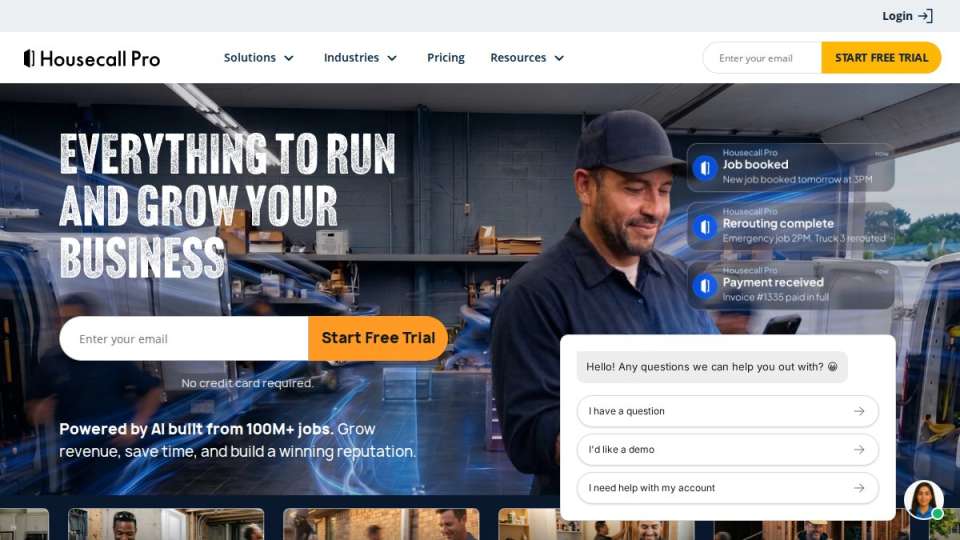
Both target small HVAC contractors but make different trade-offs. Jobber starts at $29/month and emphasizes speed to value, you’re operational in a day with a clean interface and shallow learning curve. Housecall Pro starts at $59/month and offers more features, particularly around customer communication and online booking, though add-ons push actual costs higher.
For a solo operator or 2-3 technician shop, Jobber’s lower entry cost and faster onboarding make it pragmatic. For shops with 4-7 trucks relying heavily on online booking and automated communication, Housecall Pro’s feature set might justify higher costs. Neither is objectively better; it depends on whether you value getting started quickly or having more sophisticated tooling upfront.
Automating HVAC Dispatching and Scheduling with Jobber
Automating dispatch with Jobber transforms how your office manages work flow. Instead of manually calling technicians and checking availability, the system notifies available technicians when jobs are logged. The first to accept gets the work.
This reduces office staff time on coordination significantly. For an office manager handling estimates, invoicing, and customer service, freed-up time is real money. Automation also reduces communication delays, technicians see their schedule and navigate directly to the next job, arriving faster and completing more jobs per day.
However, Jobber doesn’t automatically optimize routes or account for technician skill sets. If you have a commercial specialist and a residential generalist, Jobber won’t preferentially assign commercial jobs to the specialist. You still need human judgment to match the right technician to the right job. This is where virtual assistant services become valuable, a skilled dispatcher understands your business logic and layers that judgment on top of the software.
Virtual Assistant Services for HVAC Contractors: Beyond Software
Software automates tasks and centralizes information, but doesn’t replace strategic thinking or customer relationship management.

A skilled virtual dispatcher trained for HVAC operations does more than assign jobs. They understand your pricing structure, service areas, technician capabilities, and customer preferences. They know which customers prefer morning appointments, which jobs run long, and when to schedule preventative maintenance to maximize efficiency. They handle customer objections, coordinate delays, and manage friction that software can’t see.
Hard Hat Helpers provides virtual staff trained specifically for home services, including HVAC. Our dispatchers and office managers integrate into your existing operations using your preferred software. They’re not replacing software; they’re multiplying its effectiveness by adding human expertise that drives real outcomes.
The advantage is significant: you get software automation plus experienced professional judgment, without hiring and managing full-time staff. No payroll taxes, benefits, or training overhead. Many HVAC owners ask whether virtual services are necessary with Jobber. If you’re running 2-3 trucks with time to dispatch manually, Jobber alone may suffice. If you’re scaling to 5-7 trucks or your office manager is drowning in work, adding a virtual dispatcher trained in HVAC transforms your capacity to take more jobs without hiring more office staff.
Real Costs and Hidden Expenses
Jobber’s advertised starting price is $29/month, but that’s only part of the picture. Most small HVAC shops need features on higher tiers or as add-ons. QuickBooks integration typically requires a higher plan. Advanced reporting showing profitability by technician or job type costs extra. GPS tracking and route optimization are often add-ons.
Payment processing fees also add up. Jobber doesn’t charge transaction fees on top of processor rates, but those typically run 2.2-2.9% per transaction plus per-transaction fees. On a $500 invoice, you’re paying $12-15 in processing fees alone. Over a year with dozens of jobs, that’s material.
Training and implementation time is another hidden cost. While easier than enterprise platforms, you still need to configure service categories, pricing structure, estimate templates, and train your team. This takes 10-20 hours DIY or costs money if hired out.
The real question is whether efficiency gains justify the cost. For most small HVAC shops, Jobber pays for itself within months through reduced overhead and faster invoicing.
| Cost Component | Estimate |
|---|---|
| Jobber subscription | Pricing depends on quantity, dates, and delivery |
| Payment processing fees | 2.2-2.9% per transaction |
| Add-ons (QuickBooks, reporting) | Pricing depends on quantity, dates, and delivery |
| Implementation and training | 10-20 hours |
| Total monthly (small shop) | Pricing depends on quantity, dates, and delivery |
Common Mistakes HVAC Shops Make With Jobber
Most HVAC contractors who struggle with Jobber aren’t struggling because the software is bad, they’re using it wrong.
Mistake 1: Not customizing it to your business. Jobber’s defaults don’t match your HVAC workflows. Customize service categories, pricing tiers, and estimate templates to reflect how you actually work, or technicians fight the system instead of working with it.
Mistake 2: Treating it as set-and-forget. Software requires maintenance. Your service offerings, pricing, and communication preferences change. Review your configuration quarterly and adjust as your business grows.
Mistake 3: Not training your team properly. Your office staff, dispatchers, and technicians all need to understand how to use it effectively. A technician who doesn’t mark jobs complete creates data gaps that ripple through your system.
Mistake 4: Ignoring data and insights. Jobber generates reports on job completion times, revenue per technician, and customer acquisition costs. Most shop owners never review them. Spend 30 minutes weekly on key metrics and you’ll spot opportunities to improve.
Mistake 5: Expecting software to replace strategic thinking. Jobber automates tasks but doesn’t decide which technician handles complex commercial jobs or whether to prioritize high-value customers. Software is a tool; your judgment and business strategy separate thriving shops from struggling ones.
Conclusion: Does Jobber Deliver ROI for Your Shop
Is Jobber worth it for small HVAC contractors? Yes, for most shops. It delivers clear ROI through faster job assignment, on-site invoicing, and reduced administrative overhead. The software is affordable, easy to implement, and actually used by your team.
But Jobber alone isn’t a complete business solution. It’s strongest when paired with strategic thinking about workflows, consistent data review, and for shops scaling beyond 3-4 trucks, professional dispatch and office management support.
Hard Hat Helpers complements software platforms like Jobber. Our virtual staff trained specifically for HVAC handle dispatch decisions, customer relationship management, and strategic coordination that software can’t do alone. We manage hiring, payroll, and performance monitoring so you focus on growth. By combining Jobber’s automation with professional virtual support, you get software efficiency plus experienced professional judgment without full-time staff overhead.
The real question isn’t whether Jobber is worth it. It’s whether you’re ready to scale beyond what you can manage alone. If you are, the combination of the right software and the right support team drives growth.
Most HVAC shop owners reach a point where they’re too busy to dispatch manually but not ready to hire a full-time office manager. Hard Hat Helpers bridges that gap by providing experienced, pre-trained virtual staff who integrate seamlessly into your existing operations. Our dispatchers understand HVAC workflows, our estimators handle complex quotes, and our office managers reduce administrative burden by over 50%. Book a consultation with Hard Hat Helpers today and discover how virtual staffing transforms your capacity to grow without adding overhead.
Frequently Asked Questions
Is Jobber actually worth it for a one-person HVAC operation?
For solo operators, Jobber's value depends on your current workflow. At $29/month, it's affordable, but you'll see real ROI only if you're spending significant time on scheduling, invoicing, or customer follow-ups manually. Solo shops with 5-10 jobs per week often find the time savings justify the cost. However, if you're handling only 2-3 jobs weekly and managing everything on paper or spreadsheets, the setup time may outweigh immediate benefits. Test it with a free trial first.
How does Jobber compare to other field service management tools like Housecall Pro?
Jobber starts at $29/month and emphasizes ease of use and quick onboarding, making it ideal for shops wanting minimal complexity. Housecall Pro begins at $59/month and offers more automation features like advanced customer communication and pricebook tools, but essential features like QuickBooks sync often require higher tiers. For small HVAC contractors, Jobber works well if you prioritize simplicity; Housecall Pro suits shops needing stronger customer communication and more customization without the complexity of enterprise platforms.
Does Jobber integrate with QuickBooks for accounting?
Yes, Jobber integrates with QuickBooks, allowing invoices and financial data to sync automatically. This eliminates manual data entry and reduces accounting errors. For HVAC contractors relying on QuickBooks for financial tracking, this integration streamlines your back-office workflow. However, verify the integration level matches your QuickBooks version and accounting needs before committing, as integration depth varies by plan tier.
What's the actual monthly cost when you factor in all features HVAC contractors need?
Jobber's base plan is $29/month, but actual costs depend on user count and add-ons. A typical small shop with 2-3 office staff and technician access may spend $60-$100/month once you account for multiple users. Payment processing fees (typically 2-3%) apply to every invoice. Unlike some competitors, Jobber doesn't hide essential features behind premium tiers, so you're less likely to face surprise costs. Request a custom quote to understand your exact pricing based on your team size and feature needs.
Can Jobber handle HVAC-specific workflows like service agreements and preventative maintenance scheduling?
Jobber handles basic recurring appointments and service history tracking, which covers preventative maintenance scheduling for many small shops. However, it lacks HVAC-specific features like flat-rate pricing books or equipment-specific service notes that platforms like FieldEdge offer. If your business relies heavily on service agreements with specific pricing tiers or complex equipment tracking, Jobber will work but may require workarounds. For straightforward maintenance scheduling and follow-ups, Jobber performs well.

