


Table of Contents
- 1. Establish Clear Check-In Rhythms and Accountability
- 2. Implement Mobile-First Communication Tools for Field Connectivity
- 3. Create Communication Templates for Field Technicians
- 4. Separate Synchronous and Asynchronous Communication Channels
- 5. Deploy Virtual Assistant Services for Home Services Operations
- 6. Build Best Practices for Remote Field Team Management
- 7. Prioritize Safety-First Communication and Incident Reporting
- Frequently Asked Questions
Last Updated: September 19, 2026
1. Establish Clear Check-In Rhythms and Accountability
The foundation of effective remote communication for field service teams starts with rhythm. Without regular touchpoints, field technicians operate in isolation, and dispatchers lose visibility into job progress. Daily or twice-daily check-ins create accountability while keeping everyone aligned on priorities.
Most field service operations benefit from a simple structure: a brief morning huddle (10-15 minutes) to review the day’s schedule, followed by end-of-day updates on completed work. This cadence prevents the communication gaps that lead to missed appointments, rework, or customer frustration.
Teams with structured check-ins often report clearer expectations and fewer miscommunications. The check-in doesn’t need to be elaborate, a quick call, a status update in a shared channel, or even a recorded message works. What matters is consistency.
Set a specific time for check-ins and stick to it. Technicians perform better when they know exactly when they’ll report in, rather than being interrupted randomly throughout the day.
Document what gets discussed: job completion status, customer issues, parts needed, and blockers. This creates a paper trail that protects both the business and the technician if disputes arise later. Use a simple template or form to standardize these updates.
2. Implement Mobile-First Communication Tools for Field Connectivity
Field technicians work where internet connectivity is unpredictable. A communication platform designed for desktop won’t cut it, you need tools that function reliably on mobile devices, even with spotty signal.
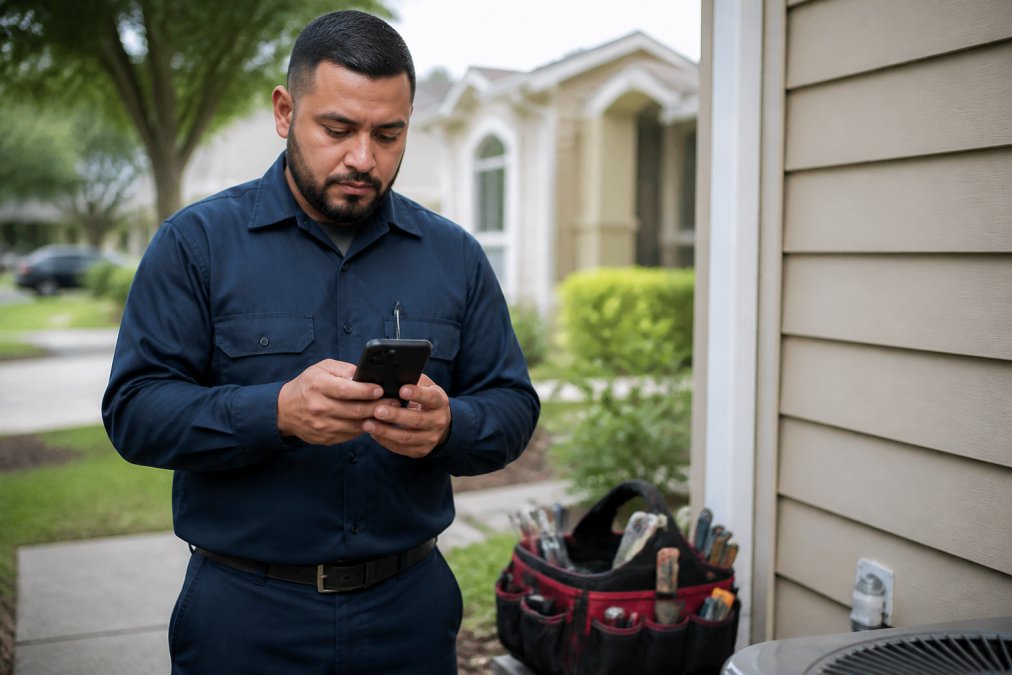
Slack works well for teams already using it, but its notification system can overwhelm field staff. For pure field operations, consider tools built specifically for mobile-first environments. Jotform excels at offline data collection, technicians can fill out job reports without an active connection, and the data syncs automatically when signal returns.
Microsoft Teams integrates seamlessly with other business software if your office already uses Microsoft 365. The mobile app is stable and handles poor connectivity better than many competitors.
The real test: can a technician on a rural job site with one bar of signal send a photo, note a problem, and receive a response without frustration? If your tool fails that test, it’s creating work, not reducing it.
Avoid tools requiring constant internet. A technician forced to drive to a coffee shop to send a report wastes time and money. Test any platform in low-signal environments before rolling it out.
3. Create Communication Templates for Field Technicians
Technicians shouldn’t have to compose messages from scratch. Templates save time, reduce errors, and ensure consistency across your team. They also make it easier for office staff to extract the information they actually need.
Create templates for common scenarios: job arrival confirmation, parts needed, customer not home, job completed, unexpected issue discovered. Keep them short, one or two sentences plus a checkbox or dropdown for specifics.
Example template for a parts request:
“Job at [address]. Need [part name and quantity]. Estimated delay: [time]. Customer notified: Yes/No.”
This approach works especially well when combined with Jotform or similar tools that let technicians select from predefined options rather than typing. It reduces cognitive load and speeds up communication.
Teams with 5+ technicians where consistency matters and you need to track patterns in job issues or delays.
Templates also create searchable records. When you need to know how many jobs required emergency parts orders last month, the standardized format makes that data easy to pull.
4. Separate Synchronous and Asynchronous Communication Channels
Not every message requires an immediate response. Mixing urgent requests with general updates creates confusion and burns out your team.
Synchronous communication (real-time, demands immediate response): urgent customer issues, safety incidents, dispatch changes, emergency questions. Use instant messaging for these, Slack, Teams, or a dedicated channel.
Asynchronous communication (can wait for a response): daily status reports, completed job documentation, non-urgent customer feedback, training materials, policy updates. Use email, a shared document, or a knowledge base for these.
The distinction prevents alert fatigue. If everything is marked urgent, nothing is. Field technicians who receive constant notifications either ignore them or burn out trying to keep up.
ContactMonkey works well for one-way asynchronous communication, company updates, training materials, policy changes. It’s designed for broadcast messaging, not back-and-forth dialogue.
Create separate Slack channels or Teams channels for each type. Name them clearly: #urgent-dispatch, #job-updates, #training. Make the rules explicit: “Urgent issues only in #urgent-dispatch. Job completions go in #job-updates.”
5. Deploy Virtual Assistant Services for Home Services Operations
Managing communication across a distributed field team requires coordination that pulls office staff away from higher-value work. Virtual assistant services designed for home services can handle routine communication tasks, freeing your team to focus on sales and operations. Automating these administrative touchpoints ensures that technicians receive accurate, real-time updates while minimizing service disruptions during complex system failure repairs.
Hard Hat Helpers provides dispatchers and office managers trained specifically for home services workflows. These professionals handle incoming customer calls, manage job scheduling, coordinate technician communication, and ensure nothing falls through the cracks. They understand HVAC pricing structures, plumbing service areas, and remodeling workflows, not generic business operations.
A dedicated virtual assistant ensures consistent communication during business hours and can extend coverage into evenings or weekends without the cost of a full-time employee. Hard Hat Helpers manages payroll, benefits, and compliance, reducing your administrative burden.
The real advantage: your technicians receive clear, consistent direction from someone who understands your business. Communication improves because the person coordinating it knows what matters in your industry.
6. Build Best Practices for Remote Field Team Management
Effective remote field team management combines clear systems with trust. Micromanagement over mobile devices damages morale; clear expectations with autonomy builds it.
Start with documented standard operating procedures for common scenarios: what to do if the customer isn’t home, how to handle a safety concern, when to call for authorization, how to document a warranty issue. These reduce the need for constant back-and-forth.
Set performance metrics that matter: job completion rate, customer satisfaction scores, parts waste, rework percentage. Share these openly with your team. Transparency builds accountability better than surveillance.
Use tools like Kickidler cautiously. Real-time screen monitoring and activity tracking can work for office staff, but for field technicians, it often backfires, it signals distrust and can feel invasive when someone’s working in a customer’s home. Focus instead on outcome metrics: did the job get done right, on time, and to the customer’s satisfaction?
Regular feedback loops matter more than constant monitoring. Weekly or bi-weekly one-on-ones with technicians surface problems early. A technician struggling with a particular type of job can get targeted training before it becomes a pattern.
7. Prioritize Safety-First Communication and Incident Reporting
Field work carries real hazards. Communication systems must make it easy, not difficult, for technicians to report safety concerns, near-misses, and incidents.
Create a simple, no-blame incident reporting process. A technician who reports a hazard shouldn’t fear punishment; they should be thanked for preventing an accident. Use a dedicated channel or form for safety reports so they don’t get lost in routine job updates.
Examples of safety-first communication:
- “Electrical hazard discovered at [address]. Job paused. Awaiting instruction.”
- “Customer dog not secured. Unable to complete work. Rescheduling.”
- “Ladder placement unsafe due to uneven ground. Using alternative approach.”
These reports protect your business legally and prevent injuries. Document them consistently so you can identify patterns, if multiple technicians report the same hazard at different job sites, it’s a training opportunity.
Incident reporting systems should be accessible from mobile devices and should work offline. A technician shouldn’t have to find WiFi to report an injury or safety concern.
Improving remote communication for field service teams requires both the right tools and the right systems. The 10 ways to improve remote communication for field service teams outlined above, from clear check-in rhythms to safety-first protocols, work best when combined into a cohesive approach.
Hard Hat Helpers simplifies this by providing trained virtual staff who understand field service operations and can manage communication workflows on your behalf.
Frequently Asked Questions
What are the best communication tools for remote field service teams?
The best tools depend on your team’s needs, but effective remote communication for field service typically combines instant messaging (Slack, Microsoft Teams), video conferencing (Zoom for training and walkthroughs), and mobile-friendly forms (Jotform for field reporting). Choose platforms that work reliably on mobile devices without requiring constant high-speed internet, since field connectivity varies by location. Integration with your existing dispatch or project management software is essential for reducing manual data entry and keeping teams aligned.
How can virtual assistant services for home services improve communication efficiency?
Virtual assistants trained specifically for home services can manage dispatch communication, coordinate between office and field teams, and handle documentation. They reduce the communication burden on technicians by fielding non-urgent messages, organizing job details, and ensuring field teams receive clear, prioritized instructions. This frees technicians to focus on their work while maintaining consistent communication flow. Dedicated virtual staff also provide 24/7 availability to handle after-hours inquiries or scheduling adjustments without adding full-time payroll costs.
What communication templates should field technicians use?
Effective communication templates for field technicians should cover: job arrival confirmations, material shortage alerts, safety incidents, customer-facing updates, and completion notifications. Templates reduce confusion, ensure consistent messaging, and speed up communication. For example, a template for reporting delays might include: job number, reason for delay, revised time estimate, and customer notification status. Pre-built templates also help less experienced technicians communicate professionally without requiring constant supervision, improving overall team efficiency and customer satisfaction.
How do you prevent meeting fatigue while keeping remote field teams connected?
Reduce meeting fatigue by using asynchronous communication for routine updates: recorded video messages, status forms, and written summaries instead of live meetings. Reserve video calls for complex problem-solving, training, and relationship-building. Establish clear guidelines about which issues require immediate sync communication versus those that can wait for an asynchronous response. Set meeting-free windows to protect focus time. For field teams especially, brief daily text-based check-ins often work better than lengthy video calls, since technicians are mobile and connectivity varies.
What safety protocols should be included in field service communication systems?
Safety-first communication protocols should include: immediate incident reporting channels with no delays, clear escalation paths for hazards, standardized language for reporting injuries or near-misses, and documented acknowledgment that critical safety messages were received. Field teams need a dedicated way to report unsafe conditions without worrying about retribution. Regular safety briefings via video or written updates keep standards top-of-mind. Consider tools that timestamp incident reports and create audit trails for compliance and continuous improvement.