




Table of Contents
- What Benefits Billing Automation Actually Does
- Core Workflows That Automation Handles
- Consolidated Invoicing Software and Data Integrity
- Benefits Administration Auditing and Discrepancy Detection
- Implementation Timeline and Getting Teams Productive
- VerifiaBill Pricing and ROI Calculation
- Security, Compliance, and Audit Trails
- Conclusion
Last Updated: August 25, 2026
What Benefits Billing Automation Actually Does
Benefits billing automation is the systematic process of managing employee benefits invoicing, payroll deductions, and carrier payments through integrated software workflows that eliminate manual data entry and reconciliation. Home service companies face unique challenges coordinating with multiple carriers, processing payroll deductions, and auditing invoices, work that pulls office managers away from strategic priorities.
The core function consolidates incoming invoices from multiple benefits carriers, matches them against payroll records, flags discrepancies, and facilitates payments without manual verification of each line item. For contracting businesses scaling from five to fifty employees, this is the difference between part-time benefits management and needing a dedicated administrator.
Most general accounting software treats benefits as an afterthought, it processes transactions but doesn’t validate whether invoices match your actual roster, doesn’t catch duplicate charges, and doesn’t alert you to calculation errors. Benefits billing automation specifically addresses invoice lifecycle, payment processing, and premium auditing that generic tools miss entirely.
Core Workflows That Automation Handles
Employee Benefits Billing and Payroll Deduction
Employee benefits billing connects three separate systems: your HRIS, payroll processor, and carrier invoices. Automation bridges these gaps by pulling employee enrollment data, matching it against invoice line items, and ensuring payroll deduction amounts align with actual billing.

Without automation, a carrier might bill for 47 employees while your payroll shows 46 (one terminated mid-month), including the terminated employee at full rate. Automated reconciliation flags this immediately instead of discovering it three months later during audit. Automated billing reconciliation also ensures that when an employee’s contribution changes, the payroll deduction matches what the carrier is billing, preventing the common complaint: "Why was I charged differently this month?"
For HVAC and plumbing firms managing crews across multiple service areas with different benefits packages by location or classification, automated payroll deduction ensures each person is charged correctly without manual verification of 50+ individual rates.
Invoice Consolidation and Billing Reconciliation
Most mid-sized home service companies receive invoices from four to eight different carriers: medical, dental, vision, workers’ compensation, and supplemental coverage. Each arrives on a different schedule in a different format.
Invoice consolidation automation ingests all invoices, normalizes data into a consistent format, and creates a single consolidated billing record. Instead of your office manager spending two hours monthly matching seven invoices to payroll entries, the system does this automatically and surfaces only exceptions requiring human review.
Billing reconciliation verifies whether the consolidated invoice total matches your payroll deduction total, employee counts match your roster, and there are no duplicate charges or unapplied credits. A practical example: your medical carrier invoices for 52 employees in January but payroll shows 50. The discrepancy is flagged automatically, you investigate and discover the carrier still has two former employees on file, and you contact them for removal, preventing months of unnecessary charges.
Carrier Payment Processing and Premium Auditing
Once invoices are consolidated and reconciled, automation handles payment routing, generates ACH payments to carriers, maintains audit trails, and reconciles payments against original invoices.
Premium auditing identifies carrier calculation errors, applying last year’s rates to new employees, including terminated staff, or miscalculating part-time vs. full-time contributions. For a 30-person home service company, a 2% carrier billing error might represent $3,000 to $5,000 in annual overcharges (peer-reviewed research). Automation catches this systematically.
Consolidated Invoicing Software and Data Integrity
Consolidated invoicing software serves as the single source of truth for benefits financial operations. Instead of spreadsheets, email attachments, and carrier portals scattered across devices, all billing data lives in one system with a clear audit trail showing who accessed what, when, and what changes were made.
Data integrity means your benefits billing records match your payroll records, which match your HR records, which match your carrier records. When these systems are disconnected, small discrepancies compound. Consolidated invoicing software prevents this by enforcing data consistency, when you add an employee to benefits, that record automatically flows into billing; when a carrier sends updated rates, the software flags the change and requires approval before updating payroll deductions.
For remodeling firms and franchises managing multiple locations or complex staffing arrangements, this centralization enables visibility across your organization and ensures compliance with your established benefits structure. streamlining contractor invoicing.
Benefits Administration Auditing and Discrepancy Detection
Benefits administration auditing examines the entire benefits lifecycle to identify errors, inefficiencies, or compliance gaps. Discrepancy detection flags specific problems automatically.
Common discrepancies include: employees who should be enrolled but aren’t, employees who should be disenrolled but still appear on invoices, rate mismatches between carrier charges and plan specifications, duplicate coverage, and coverage gaps. Without automation, these are discovered reactively, an employee’s claim is denied because they weren’t enrolled, or your CFO notices an invoice spike during annual audit. Automated detection identifies issues within days of invoice arrival.
For home service companies during seasonal hiring, automated auditing ensures temporary crews are properly removed from invoices in the following billing cycle, preventing months of charges for terminated employees.
Implementation Timeline and Getting Teams Productive
Implementation typically follows a structured timeline. The first phase is data migration and system configuration, loading historical benefits data, employee records, and carrier information into the new system (two to four weeks).
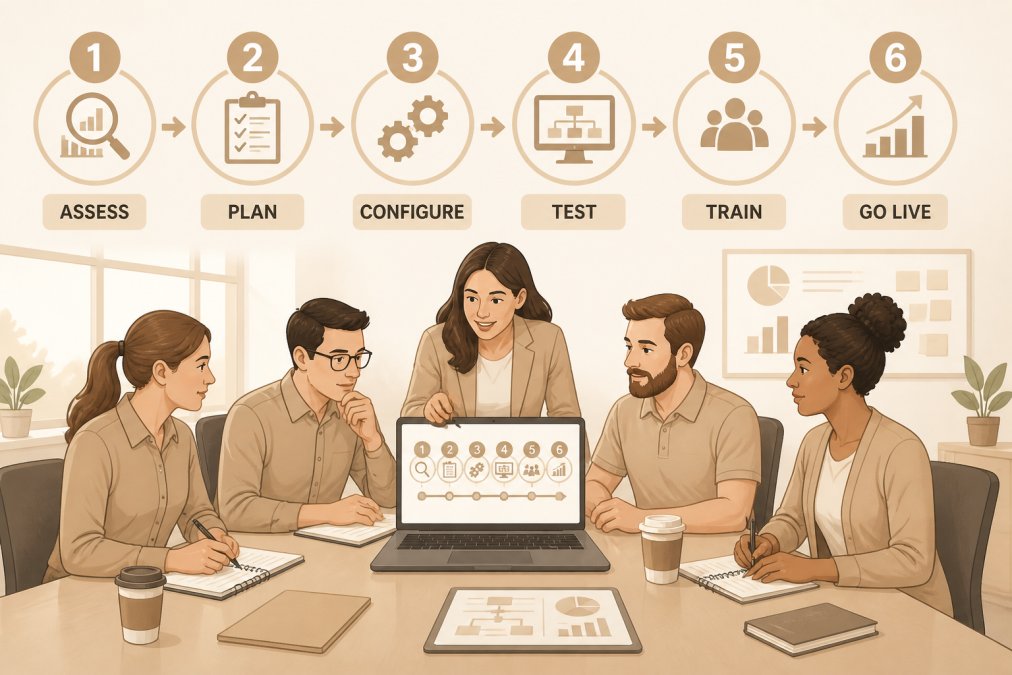
The second phase is carrier integration and testing, connecting to carriers’ billing portals and testing reconciliation logic with real invoices (two to three weeks). The third phase is payroll integration, connecting your benefits billing system to your payroll processor and validating that deduction amounts match invoices (three to four weeks). The final phase is go-live and stabilization, running the system in parallel with your existing process for one full billing cycle (four to six weeks).
From start to finish, implementation typically takes three to four months. Productivity gains appear immediately, your office manager stops spending six to eight hours monthly on manual reconciliation. The biggest gain comes from eliminating back-and-forth with carriers; instead of 30 minutes weekly emailing about discrepancies, you submit one consolidated audit report and carriers respond to specific documented issues, reducing resolution time from weeks to days.
Pricing and ROI Calculation
Pricing depends on employee count, number of carriers, benefits structure complexity, and integration level with existing systems. Request a quote directly from your provider based on your company’s specific needs.
The ROI calculation is straightforward. Calculate your current annual cost of manual benefits billing management:
- Administrative time: How many hours per month does your office manager spend on invoice reconciliation, discrepancy investigation, and payment processing?
- Error costs: How much have you lost to carrier billing errors, duplicate charges, or missed credits annually?
- Compliance and audit costs: How much time does your accountant spend verifying benefits billing during annual audits?
Secondary ROI comes from improved accuracy and compliance, reduced risk of claims being denied due to enrollment errors, caught carrier mistakes before they become compliance issues, and documentation satisfying auditors and regulators.
Security, Compliance, and Audit Trails
Benefits billing automation systems handle sensitive employee data: names, Social Security numbers, salary information, and health plan details. This data must be protected according to industry standards and regulatory requirements.
Most enterprise-grade benefits billing platforms maintain SOC 2 Type II certification, independently audited for security, availability, processing integrity, confidentiality, and privacy controls (aicpa.org). For home service companies, HIPAA compliance is relevant if benefits include health plans (hhs.gov). A compliant system ensures health plan enrollment data and premium information are encrypted in transit and at rest, access is logged and restricted to authorized users, and data retention meets regulatory requirements.
The audit trail logs every action, invoice received, discrepancy flagged, payment processed, data corrected, with timestamp and user attribution. If a carrier disputes a payment, you can pull the audit trail and prove exactly what was billed, when you received it, what discrepancies you identified, and when you paid. This documentation is invaluable during disputes and regulatory audits, and helps identify internal process gaps.
Managing benefits billing manually is a tax on operational efficiency that compounds as your company grows. Benefits billing automation reclaims that time, catches errors before they become problems, and creates the documentation you need for compliance and audits.
Hard Hat Helpers helps home service companies simplify their entire administrative operation, including benefits management. Our pre-trained virtual staff are familiar with managing crews, handling seasonal hiring, and coordinating with multiple carriers. By combining our specialized staffing with the right automation tools, you reduce administrative burden by over 50% and regain focus on what grows your business. Book a consultation with our team to discuss how we can help you automate benefits billing and scale your operation without adding overhead.
Frequently Asked Questions
Q: What does benefits billing automation actually do for a small home services business?
A: Benefits billing automation handles employee benefits deduction calculations, invoice consolidation from multiple carriers, billing reconciliation, and premium payment processing without manual data entry. For small operations, this eliminates hours of spreadsheet work each billing cycle, reduces payroll errors, and ensures carrier payments match your records.
Q: How does consolidated invoicing software reduce billing discrepancies?
A: Consolidated invoicing software pulls billing data from all carriers into one system, automatically flags mismatches between what you paid and what was billed, and creates an audit trail for every transaction. This catches overcharges, duplicate charges, and billing errors that spreadsheets miss. The system reconciles invoices against payroll records in real time, so discrepancies surface immediately rather than after the billing cycle closes.
Q: What should I expect during benefits administration auditing?
A: Benefits administration auditing reviews your billing records against carrier invoices and payroll data to identify overpayments, incorrect deductions, and compliance gaps. The audit typically takes 2-4 weeks depending on your operation size and data organization. You'll receive a detailed report showing any discrepancies found, money owed back by carriers, and recommendations to prevent future billing errors.
Q: How long before a new team member trained on your system becomes fully productive?
A: Most administrative staff reach productivity on routine billing tasks within 2-3 weeks of onboarding. Complex reconciliation and discrepancy resolution typically take 6-8 weeks to master. The timeline depends on your billing complexity, carrier count, and the individual's prior experience. Dedicated training on your specific workflow, carrier relationships, and pricing structure accelerates this timeline significantly.

