




Table of Contents
- Why Home Service Firms Hire Dedicated Virtual Dispatchers in 2026
- Virtual Dispatcher Job Description: What They Actually Handle
- Cost of Hiring a Virtual Dispatcher vs. In-House Staff
- The Virtual Assistant Dispatching Software Tools They Need
- Best Practices for Managing Remote Dispatchers Effectively
- Security, Compliance, and Tech Integration Considerations
- How to Vet and Onboard a Virtual Dispatcher Without Downtime
- Conclusion: Build a Dispatch Team That Scales With You
- Frequently Asked Questions
Last Updated: September 4, 2026
The home service industry runs on tight schedules, and a single missed window can cost you a customer for life. That’s why more contracting firms are choosing to hire dedicated virtual dispatcher 2026 strategies to handle routing, scheduling, and customer communication without the overhead of a full-time in-house hire. At Hard Hat Helpers, we’ve built our entire model around this shift, placing trained dispatchers into HVAC, plumbing, and remodeling operations.
Below, we’ll show you exactly what these professionals handle, what they cost versus in-house staff, and how to integrate them without disrupting your current workflow. The goal isn’t just to fill a seat; it’s to build a dispatch operation that scales alongside your service areas.
Why Home Service Firms Hire Dedicated Virtual Dispatchers in 2026
The biggest reason home service firms move to remote staffing is the flexibility it brings to daily operations. When you hire a dedicated virtual dispatcher, you gain coverage that extends beyond the traditional 9-to-5, which matters when emergency calls roll in on weekends or late evenings. Firms that rely on an owner or office manager to juggle phones and scheduling often hit a ceiling.
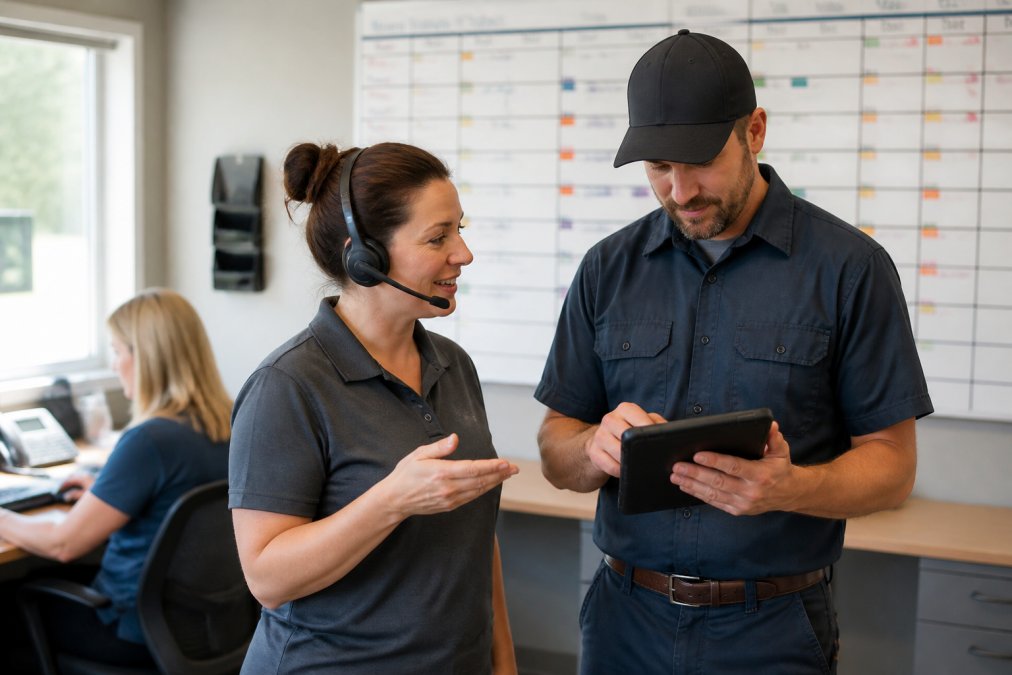
A dedicated virtual dispatcher removes that bottleneck by owning the entire scheduling function. They handle load planning, route optimization, and real-time communication with your crews, which directly improves customer service. For a small operation with two or three office staff, this means your existing team stops firefighting and starts focusing on estimates, billing, and client follow-up.
Virtual Dispatcher Job Description: What They Actually Handle
A virtual dispatcher job description goes far beyond answering phones and sending job details. These professionals manage the full lifecycle of a service call, from the moment a customer books to the second the technician closes the ticket. In practice, they are responsible for dispatching protocols, incident management, and keeping customers informed when a job runs long or a part is delayed.
The core daily responsibilities typically include:
- Assigning and sequencing jobs based on technician location and skill set
- Communicating schedule changes to customers and field teams in real time
- Tracking job progress and escalating delays before they become complaints
- Managing emergency calls and rerouting crews to urgent requests
- Documenting job notes and updating your dispatch software or CRM
What separates a strong remote dispatcher from a weak one is judgment. They need to know when to push a job back versus when to call in a second truck, and that instinct comes from training on your specific service areas and pricing structure.
Cost of Hiring a Virtual Dispatcher vs. In-House Staff
The headline savings of remote dispatch are real, but the comparison only holds up when you model the full cost of each option. An in-house dispatcher in the United States typically commands an annual salary between $38,000 and $52,000, depending on region and industry (bls.gov). On top of that base pay, you are responsible for the employer share of FICA (7.65%), federal and state unemployment taxes (FUTA/SUTA), workers’ compensation premiums, and health insurance contributions that can add 20% to 30% to the total compensation package (irs.gov). When you factor in paid time off, sick days, and the cost of a dedicated workstation, a single in-house dispatcher often represents a $55,000 to $70,000 annual commitment.
A dedicated virtual dispatch service changes that structure. Instead of a fixed salary plus benefits, you pay a predictable monthly or hourly fee that covers the dispatcher’s compensation, payroll taxes, benefits, and the provider’s management overhead. Pricing depends on quantity, dates, and delivery. For a home service firm running 40 hours of dispatch coverage per week, that translates to a significant reduction in overhead compared to an in-house hire.
But the cost conversation does not end with the hourly rate. The most overlooked line item is the cost of misclassification. If you hire a freelancer directly and treat them like an employee, controlling their hours, providing equipment, or dictating the sequence of their work, you risk reclassification under the Fair Labor Standards Act and state-level tests like California’s ABC test or the IRS’s common-law factors (dol.gov). A reclassification audit can trigger back taxes, penalties, and overtime liability that wipe out any savings from the lower hourly rate.
There is also a cost to turnover that rarely appears in the comparison tables. Replacing an in-house dispatcher means recruiting, interviewing, onboarding, and absorbing the productivity loss while the new hire ramps up, a process that often costs 30% to 50% of the position’s annual salary. A managed virtual dispatch service builds replacement guarantees and backup coverage into the contract, so a resignation or a no-show does not leave your schedule board dark.
Before signing any virtual dispatch agreement, request a written breakdown of what the fee includes. If the provider charges extra for training, software access, or after-hours coverage, those add-ons can erase the cost advantage. A transparent contract lists the all-in rate and the specific backup and replacement terms.
The Virtual Assistant Dispatching Software Tools They Need
A virtual dispatcher is only as effective as the software stack they operate. The core requirement is not a specific brand but a system that gives the remote worker real-time visibility into the same schedule, customer records, and job statuses your field technicians see. For most home service firms, that means a cloud-based field service management platform such as ServiceTitan, Housecall Pro, Jobber, or FieldEdge.
The integration strategy matters more than the tool choice. A common failure pattern is giving a virtual dispatcher access to a separate scheduling spreadsheet while your technicians operate in the field service platform. That split creates a data lag: the dispatcher marks a job complete in their spreadsheet, but the customer never receives the automated follow-up because the platform never registered the status change. The fix is to have your dispatcher work natively inside the same platform your technicians use on their mobile devices.
Beyond the core field service platform, a dedicated virtual dispatcher typically needs access to three supporting tools. First, a VoIP or cloud phone system like RingCentral or Dialpad that routes business calls to the dispatcher’s headset regardless of their physical location. Second, a route optimization tool, either built into your field service platform or as an add-on like Route4Me, that sequences jobs based on travel time, technician skills, and priority windows. Third, a team communication channel such as Slack or Microsoft Teams for quick coordination with your office staff.
Before onboarding a remote dispatcher, audit your current software stack. If your CRM and dispatch tools don’t sync, fix that first. A virtual dispatcher can only be as effective as the data they can see, and duplicate entry is the fastest way to create scheduling conflicts.
::: dispatch software solutions.
What separates a high-performing virtual dispatch arrangement from a mediocre one is how you use the software to measure performance. Most field service platforms include built-in reporting on key metrics like job completion time, schedule adherence, and customer satisfaction scores. Set a weekly review cadence where you pull these reports and compare them against the benchmarks you defined during onboarding.
Finally, plan for software access security. Your virtual dispatcher should log in through a unique credential tied to their role, not a shared office login. Most field service platforms support role-based permissions, so configure the dispatcher’s access to include scheduling, dispatching, and customer communication but exclude financial reporting, employee payroll data, and vendor management.
Best Practices for Managing Remote Dispatchers Effectively
Managing a remote workforce requires a different rhythm than supervising someone in the next office. The best practices for managing remote dispatchers center on clear communication, defined service level agreements, and consistent performance reviews. Establish daily check-ins, even if they’re just a 15-minute morning huddle to review the schedule and flag any anticipated issues.
Set measurable benchmarks from day one. Track metrics like average call handling time, missed job updates, and customer callback rates. These KPIs give you an objective view of whether the dispatcher is supporting your fleet management goals or just occupying a slot in your workflow.
:::takeaway
The difference between a good and a bad remote dispatcher usually comes down to how well you define the rules of engagement. Written protocols for routing, escalation, and customer communication are not optional; they are the foundation of a productive remote relationship.
Security, Compliance, and Tech Integration Considerations
Handing over your dispatch schedule means handing over customer data, so security and data privacy must be addressed before you sign a contract. Your virtual dispatcher will likely access your CRM, which contains addresses, phone numbers, and service histories. Ensure the provider has clear data handling policies and uses secure logins.
On the compliance side, consider how the dispatcher handles sensitive information like payment details or credit card numbers. In the United States, you are responsible for how your vendors handle customer data, so verify that any third-party staffing arrangement aligns with your own privacy obligations.
Finally, think about business continuity. If your dispatcher is out sick or on vacation, who covers the board? Reputable providers offer a backup or a dedicated Client Success Manager to bridge gaps, which prevents the downtime that hurts your reputation.
How to Vet and Onboard a Virtual Dispatcher Without Downtime
A poor hiring decision in dispatch creates immediate chaos, so the vetting process needs to be rigorous. Start by requiring industry-specific experience. A dispatcher who has worked in trucking dispatch or logistics operations understands routing and load planning, but they may not grasp the urgency of a plumbing emergency or the nuances of HVAC pricing.
The onboarding phase is where most remote staffing arrangements fail. Your new dispatcher needs structured training on your specific service areas, your pricing model, and your customer service expectations. This isn’t a one-day handoff; it’s a gradual transition where the remote hire shadows your current process before taking over the board.
A phased rollout works best. Week one, have the dispatcher handle only inbound scheduling while your office manages the technicians. Week two, let them dispatch a single truck under supervision. By week three, they should be running the full board with you reviewing the end-of-day report.
Conclusion: Build a Dispatch Team That Scales With You
Running a growing home service business means accepting that you can’t be the only person managing the schedule. The challenge is finding support that understands your industry, your pricing, and your commitment to customer service. A virtual dispatcher can deliver that, but only when they are trained, integrated, and managed with the same rigor you apply to your field teams.
That’s where Hard Hat Helpers fits. We provide pre-qualified, industry-trained virtual dispatchers who integrate into your existing operations, backed by continuous performance monitoring and 24/7 availability. Our team manages the onboarding, payroll, and benefits, while a dedicated Client Success Manager ensures the relationship runs smoothly. If you’re ready to cut overhead and stop being the bottleneck in your own dispatch, get started with Hard Hat Helpers and build a dispatch team that actually scales.
Frequently Asked Questions
What are the primary responsibilities of a dedicated virtual dispatcher?
A dedicated virtual dispatcher manages your daily schedule, routes technicians, handles emergency calls, and updates customers on arrival times. They work as an extension of your office team, using your dispatch software to assign jobs and confirm appointments. They also handle rescheduling and communicate job details to your field crews. This role keeps your operations running smoothly without adding on-site headcount.
How does hiring a virtual dispatcher differ from hiring an in-house employee?
Hiring a virtual dispatcher shifts administrative tasks like payroll, benefits, and onboarding to the staffing provider. You get a pre-trained professional who is already familiar with dispatch workflows, which shortens the learning curve. In-house hires require you to manage recruitment, training, and paid time off. A virtual dispatcher also provides 24/7 coverage options, which is harder to achieve with a single local employee.
What should I look for when vetting virtual dispatching services in 2026?
Look for a provider that trains staff specifically for home services, not generic virtual assistants. Ask how they handle data security and whether they use secure connections for your customer information. Check if they offer a dedicated client success manager and a replacement process if a dispatcher does not work out. Confirm their software experience matches your tech stack, such as ServiceTitan or Housecall Pro.
How can a dedicated virtual dispatcher improve my home service business’s response time?
A dedicated virtual dispatcher answers incoming calls faster because they are not juggling on-site office duties. They can route urgent jobs to the nearest available technician and send status updates to customers automatically. This reduces callback volume and keeps your team on schedule. Faster response times often lead to higher customer satisfaction and more completed jobs per day.

